Discover how visitors interact with your website, from the elements they engage with to the journeys they abandon.
Traditional analytics can tell you what happened. Heatmaps and Session Recordings reveal how visitors navigate your website, where they hesitate, what attracts attention, and where they encounter obstacles.
Replace assumptions with direct observation of visitor behaviour on desktop and mobile devices.
How Heatmaps & Session Recordings work
Uncover visitor behaviour with Heatmaps
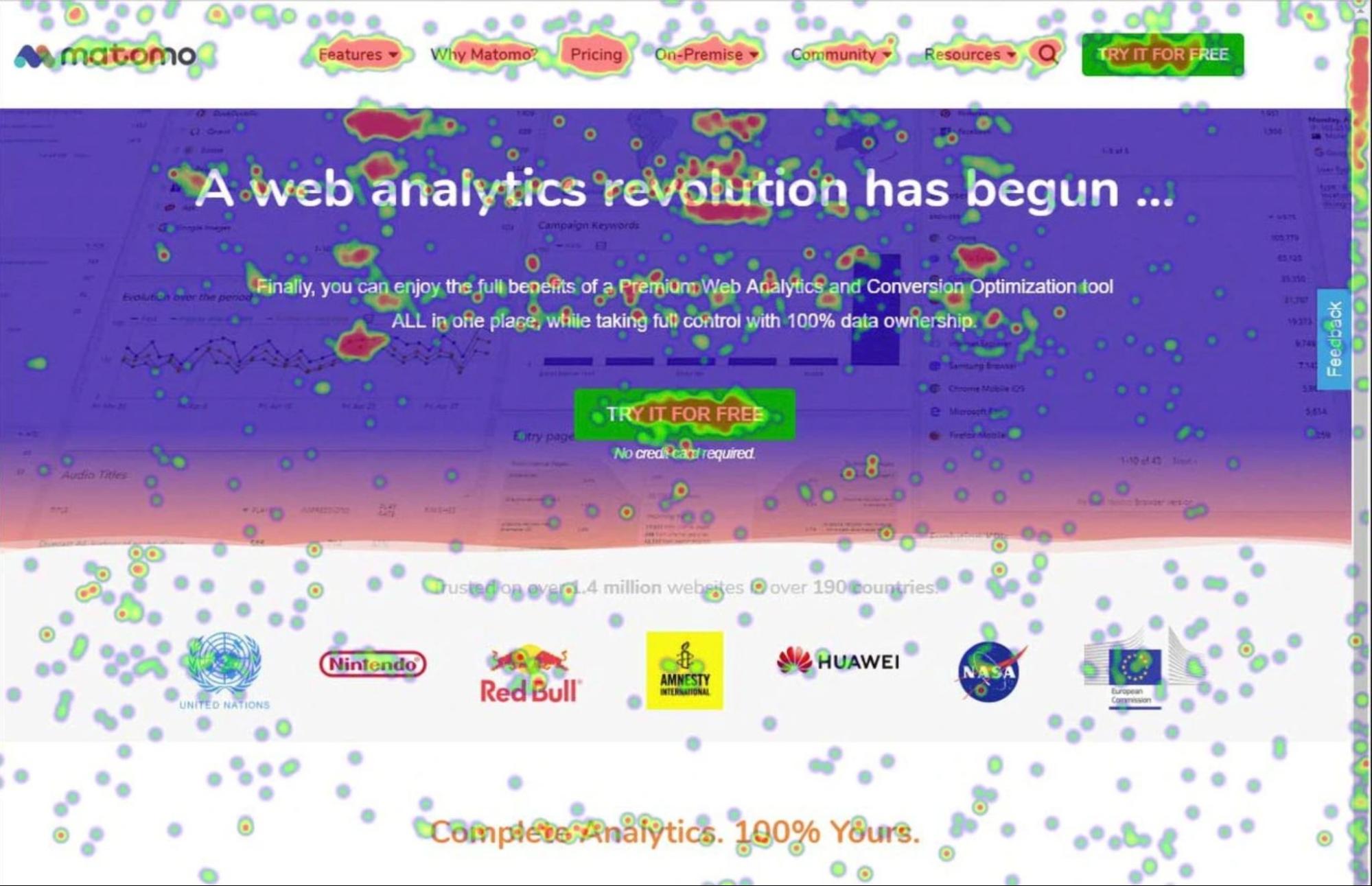
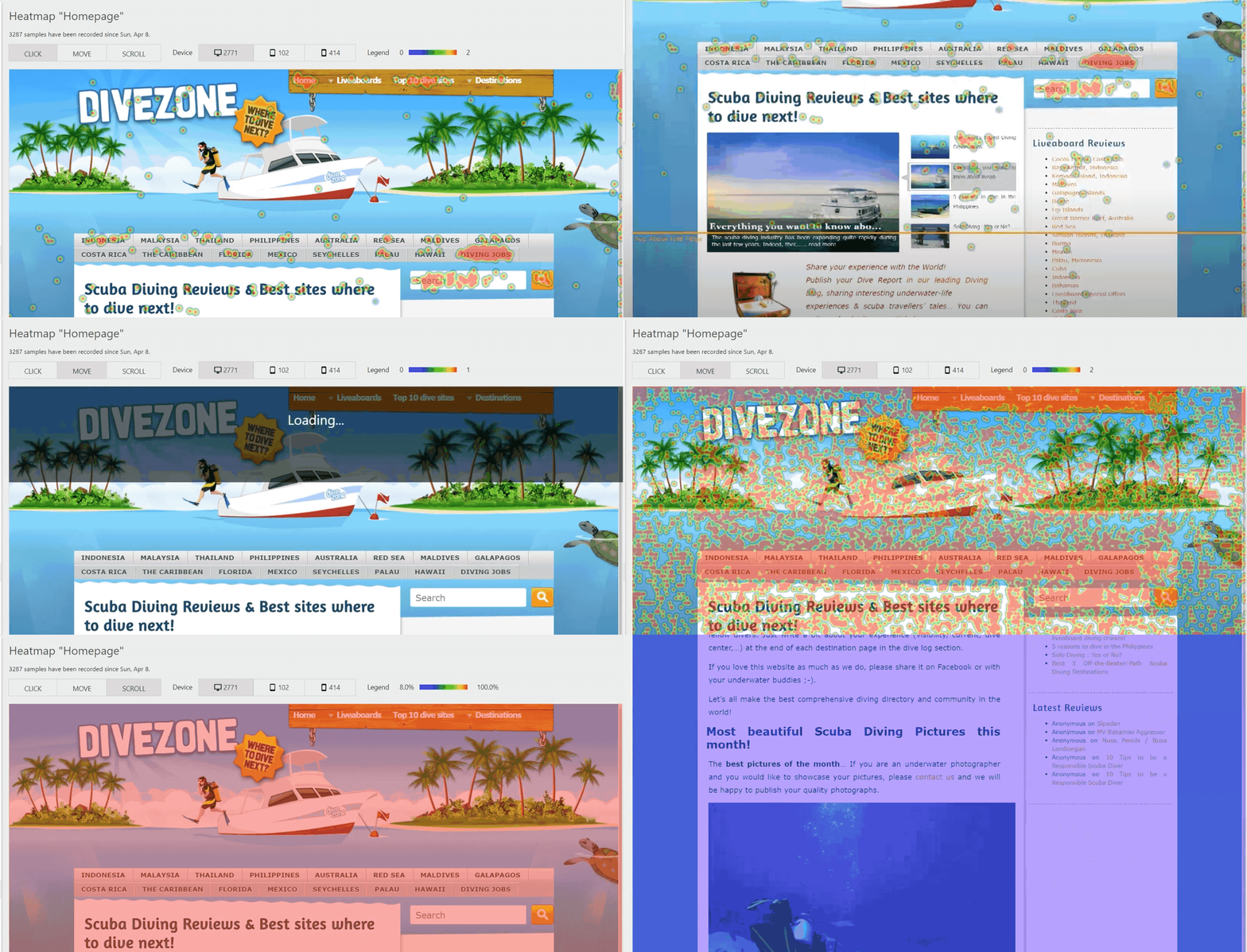
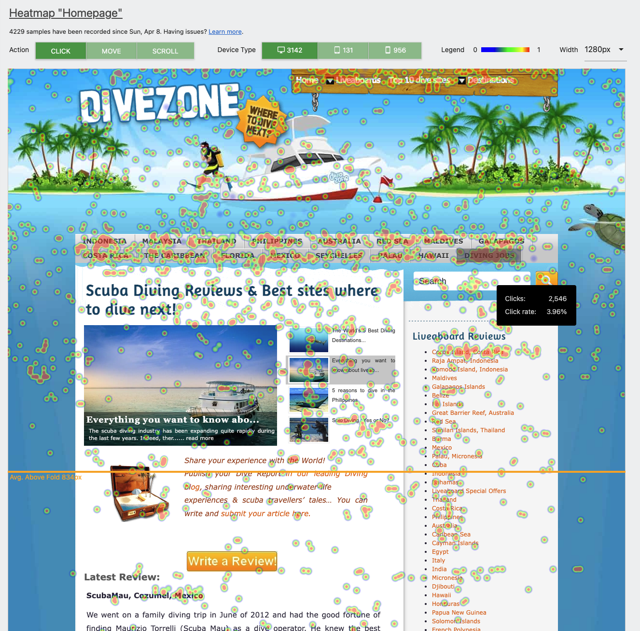
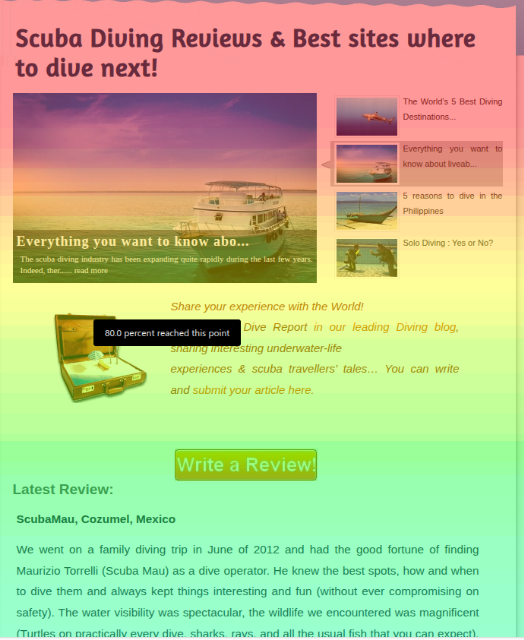
Identify the areas of your pages that attract attention and the elements that are ignored. A heatmap shows where visitors click, move their cursor, and how far they scroll. Use these insights to evaluate content placement, navigation, forms, and calls to action across different devices and screen sizes.
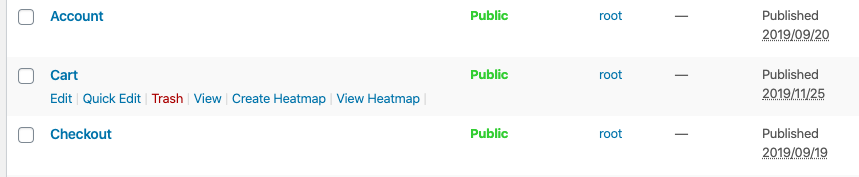
Create heatmaps in minutes and start evaluating page performance without building complex reports.
Support UX and design decisions with evidence
Website changes often involve competing opinions and assumptions. Heatmaps provide a visual record of visitor behaviour, helping teams evaluate content based on how people actually interact with the page.
Compare the impact of design updates over time, identify overlooked content, and assess whether important elements receive the attention they were designed to attract.
Replay real visitor journeys
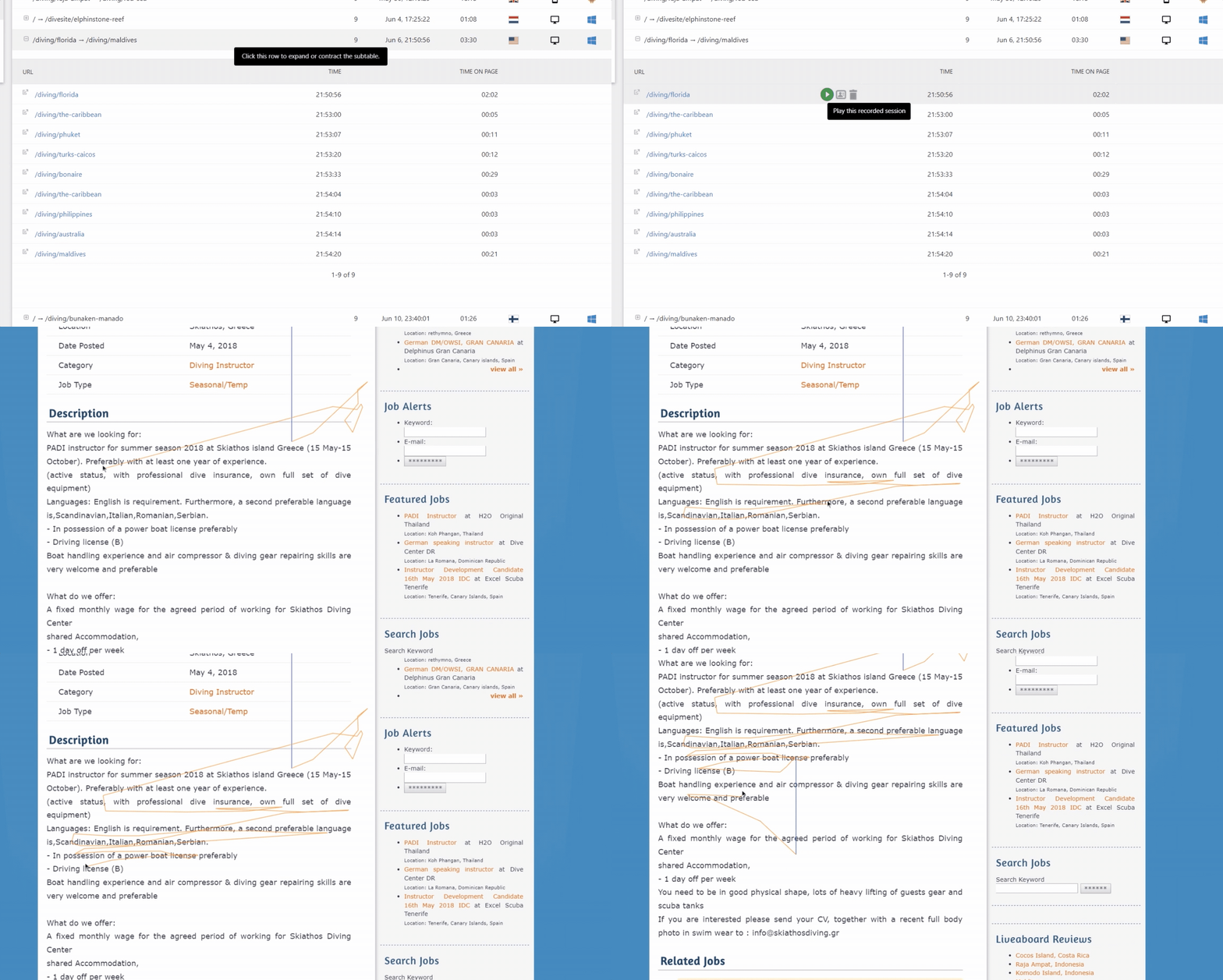
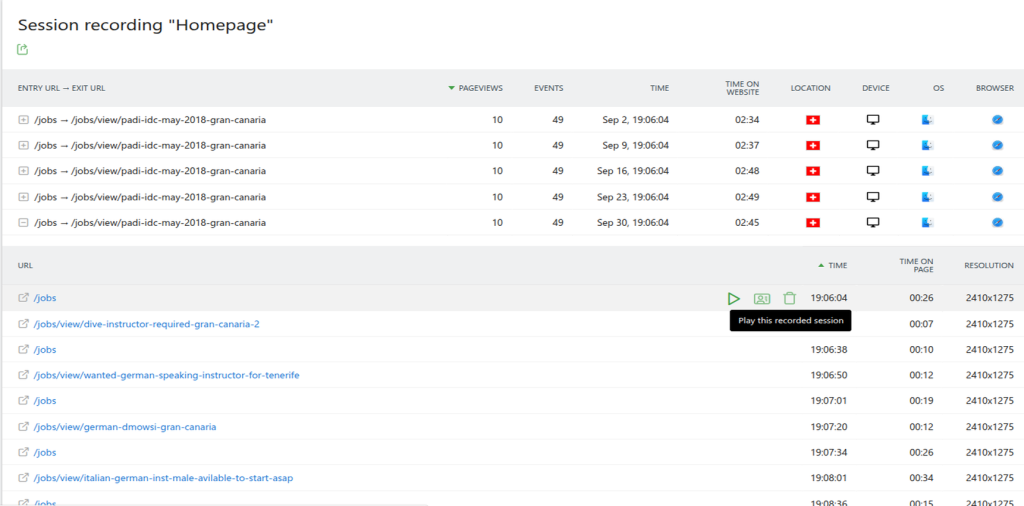
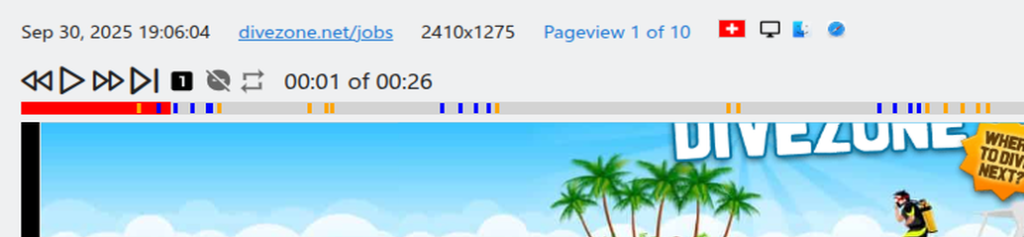
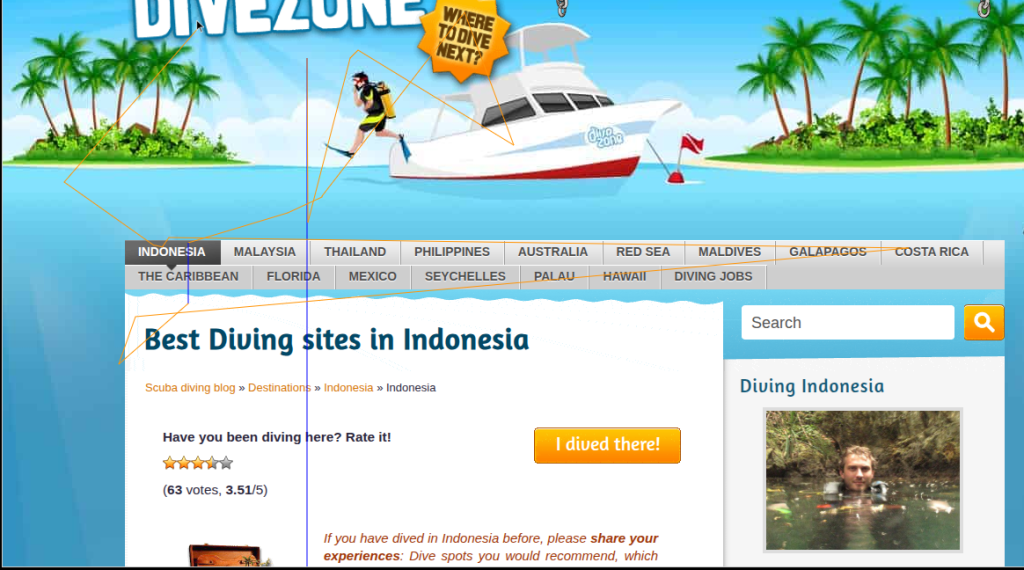
Watch anonymised session recordings to see exactly how visitors move through your website. Follow mouse movements, clicks, scrolling behaviour, and navigation patterns to understand where visitors abandon tasks or encounter usability issues. Small usability issues can have a significant impact on the user experience. Let Session Recordings detect barriers that affect form completion, checkout flows, content engagement, and conversion paths.
Connect behaviour with analytics data
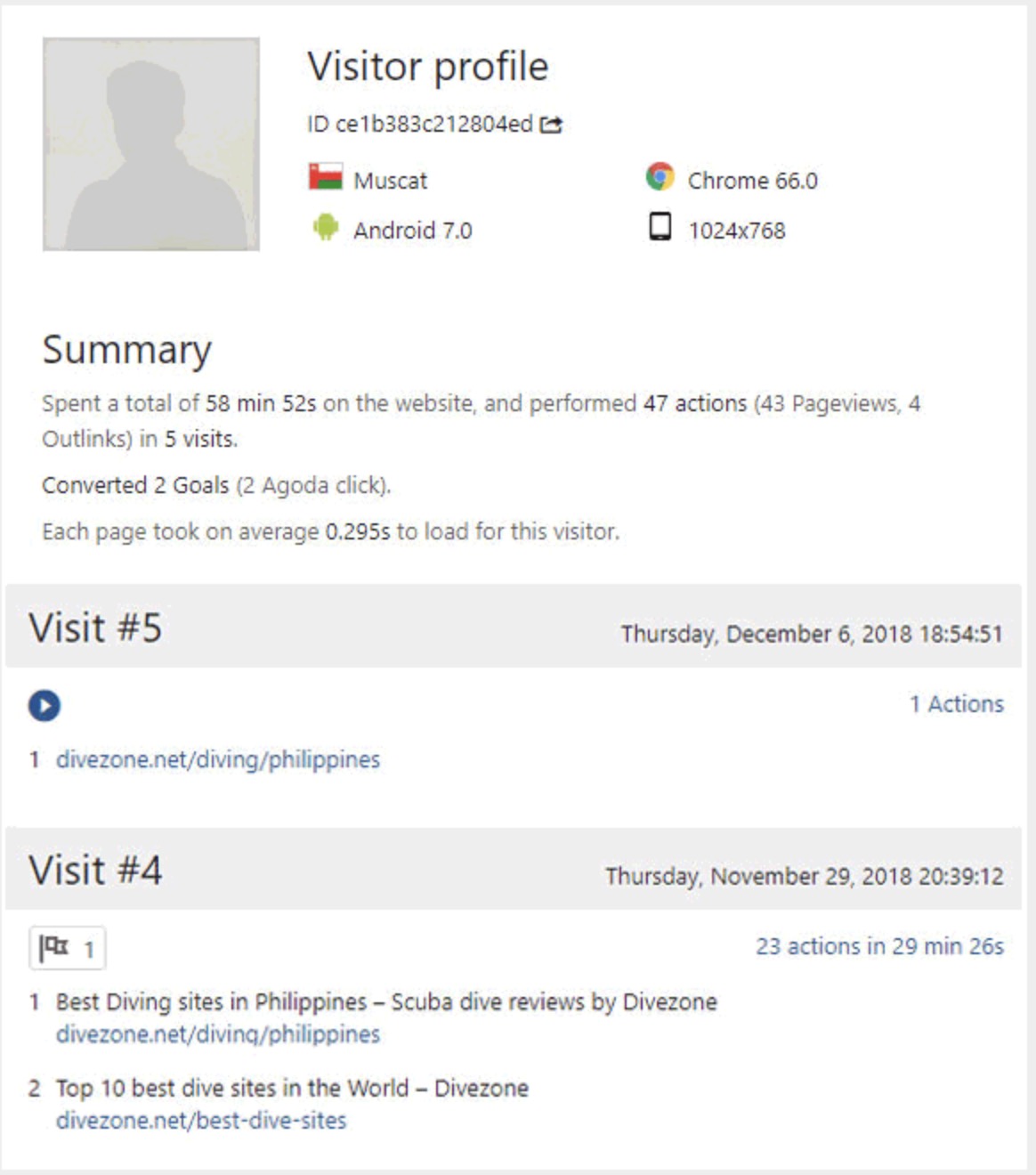
Combine your heatmap or session recording with Matomo analytics data to understand the pages a visitor explored, the events they triggered, the campaigns they arrived from, and whether they completed a goal or conversion. Additional context brings together quantitative and behavioural data for converting and non-converting visitors to uncover what affects engagement and conversion rates.
Try Heatmaps & Session Recordings Today
Stop losing conversions you can't explain. Heatmaps and session recordings show you exactly what users do on your site. Record actual sessions. See where people click, pause, and drop off and understand why visitors leave without converting.
Free for 30 days. No credit card required.
Heatmap visualisation features
- View click, mouse move (hover) and scroll heatmaps.
- View the heatmaps for desktop, tablet and mobile devices.
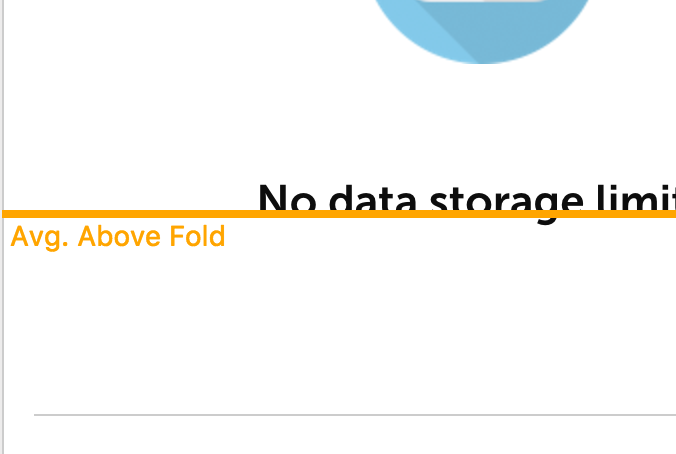
- See how much of the content is visible on average when users open the website (above the fold).
- See how far down your visitors scroll.
- Delete an already taken heatmap screenshot.
- Choose between different heatmap widths.
- Apply segments to drill down your visitors and gain insights into specific target groups.
Recording features
- Visitor summary shows used browser, operating system, location, viewport resolution, time spent on the page, and more.
- Video controls like play, pause, replay and seek.
- Video timeline shows you when a certain event like a click, mouse move, or scroll will happen.
- Replays all clicks, mouse movements, scrolls, window resizes, form interactions, and page changes (e.g when a popup appears).
- Replay all recorded page views of a visitor within a session one after another.
- Delete individual recordings.
- Enable autoplay to replay all page views within a visit automatically.
- Change the replay speed.
- Skip long pauses in a recording automatically.
- Use shortcuts when replaying a recorded session.
- View the Visitor Profile to get all information about a visitor.
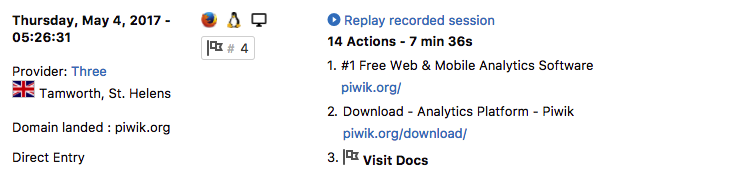
- Replay a recorded session directly from the Visitor Log.
- Apply segments to find the recordings you are interested in.
Manage Heatmap
- Create unlimited heatmaps.
- Select how many page views you want to record.
- Define on which page a heatmap should be recorded by applying patterns like "starts with", "contains", "regular expressions" to URL, URL path and URL parameter.
- Choose a sample rate.
- Hide certain elements in the heatmap (for example a pop-up).
- Define on which URL a screenshot should be taken.
- Set custom mobile and tablet breakpoints.
Manage Session Recordings
- Record unlimited sessions.
- Select how many page views you want to record.
- Restrict on which pages a visitor should be recorded by using patterns like "starts with" based on URL, URL path and URL parameter.
- Choose a sample rate.
- Only record activities when a visitor spends at least a specific time on a page.
- Only record activities when a user has clicked and scrolled at least once.
- Define if keystrokes on text form fields should be captured or not.
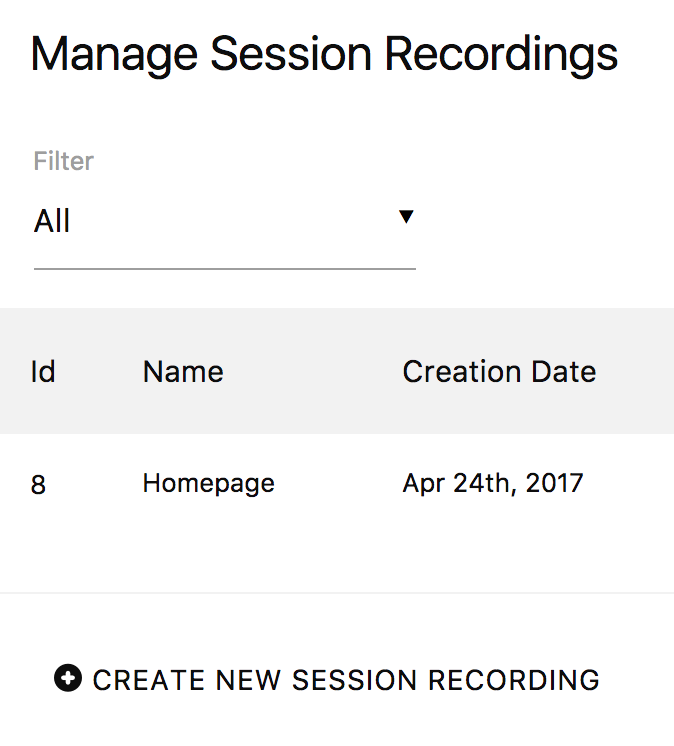
- It only takes a few seconds to create a new session recording.
Privacy features
- Anonymising / Masking of personal or sensitive information that a user enters into a form field (keystrokes) to not record personal data.
- Possibility to record form fields in plain text except for form fields that may contain personal information.
- Supports Matomo's privacy and GDPR features like the right to erase data or the right to export data. GDPR stands for General Data Protection Regulation and is for example also known as RGPD in French, DS-GVO in German.
- The session recording feature can be disabled while keeping the heatmap feature enabled and vice versa.
Export and API features
- HTTP API to manage your heatmaps and session recordings.
- HTTP API to fetch and export all Heatmap & Session Recording reports.
- Get access to all the raw data via MySQL for 100% data ownership.
-
Click Heatmap
-
Scroll Heatmap
-
Above Fold
-
Session Recordings
-
Replay Recorded Session
-
Replay Move And Click Path
-
Visitor Log
-
Manage
-
Matomo For WordPress Support