Feinwerk Connector brings the Plugins for Matomo by Feinwerk into your Matomo administration. You find, install, update
and license them on one screen, Administration › Feinwerk Plugins, next to the Matomo Marketplace, which keeps
working as before.
- Tasks: everything that needs you, in one list: updates, database updates, licenses that run out.
- Discover: all Feinwerk plugins with description, screenshots and price.
- Manage: install and update with one click, or update several plugins at once.
- Licenses: the license of each paid plugin; use an existing license or buy one.
- Automatic updates for the plugins you choose. Updates that change the database are never installed
automatically, and on large Matomo instances the connector shows the console command for the database update.
- Matomo major updates: after Matomo moves to a new major version, the connector switches your Feinwerk plugins
to their builds for that version.
- Console commands for status, install, update and connect, for administrators with shell access and for scripts.
Available in English, German, French, Spanish and Italian.
What is sent to Feinwerk, and when
Nothing is sent before you connect this Matomo with your account on plugins.feinwerk.io, with the button
"Connect with Feinwerk account" or by entering the instance token under General settings, or ask to see the plugins
first.
When you click "Show Feinwerk plugins" (no account needed): a request for the public list of Feinwerk plugins with the
interface language, and the plugin images afterwards. No instance token and no data about your websites or users.
When you click "Connect with Feinwerk account", your browser opens plugins.feinwerk.io with the address of this Matomo,
the interface language and whether the connector came from the Matomo Marketplace or from the Feinwerk store.
Once connected, the connector talks to plugins.feinwerk.io:
- Once a day, to check for updates and licenses: the instance token, the Matomo and PHP version, the address of this
Matomo, the number of Matomo users (for license seats) and the installed Feinwerk plugins with their versions.
- When you use the Feinwerk Plugins screen or its console commands (open it, refresh the list, open a plugin,
install, update, use or buy a license): the instance token, the Matomo and PHP version and the plugin concerned.
- After a Matomo major update: the installed Feinwerk plugins, to find their builds for the new version.
- When you answer the feedback question or send a bug report: only what the form shows. A feedback vote carries
no instance token.
No visitor data and no reports are ever sent. Every request carries a fixed user agent instead of your browser's;
Matomo's HTTP client adds the Matomo version to it. Recommendations and notices are built from the plugin list stored in this
Matomo and send nothing.
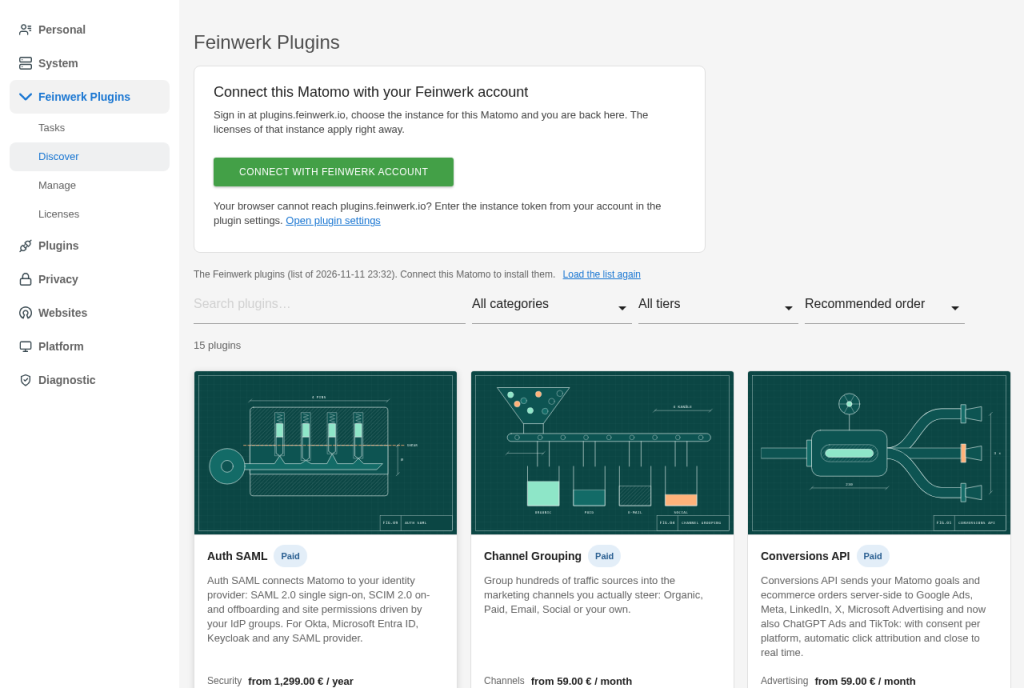
-
Browse without an account then connect
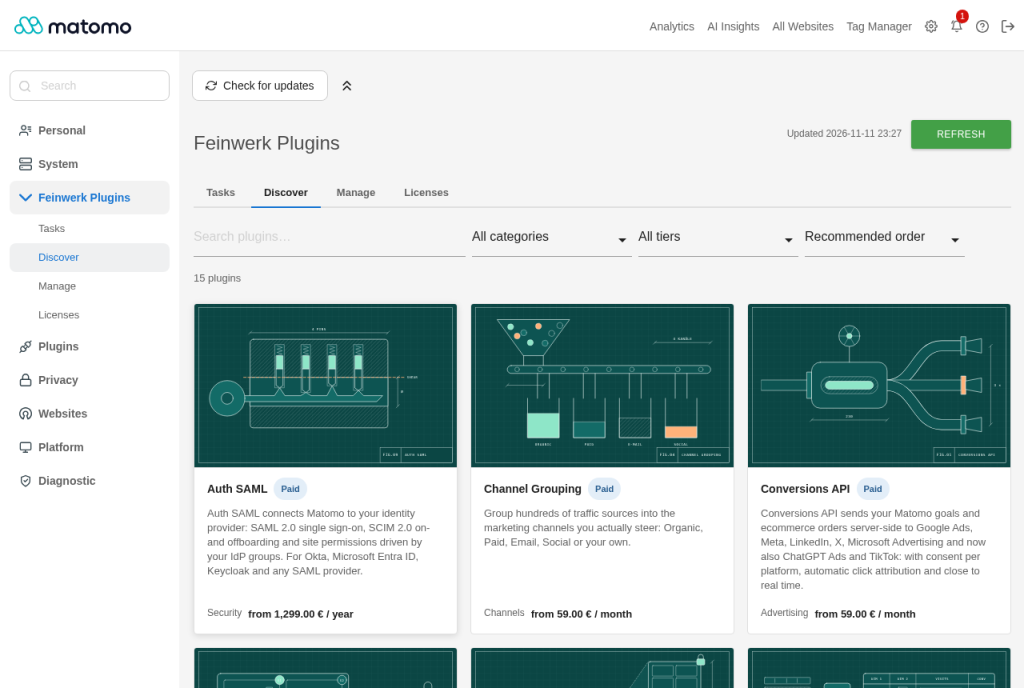
-
Discover all Plugins for Matomo by Feinwerk
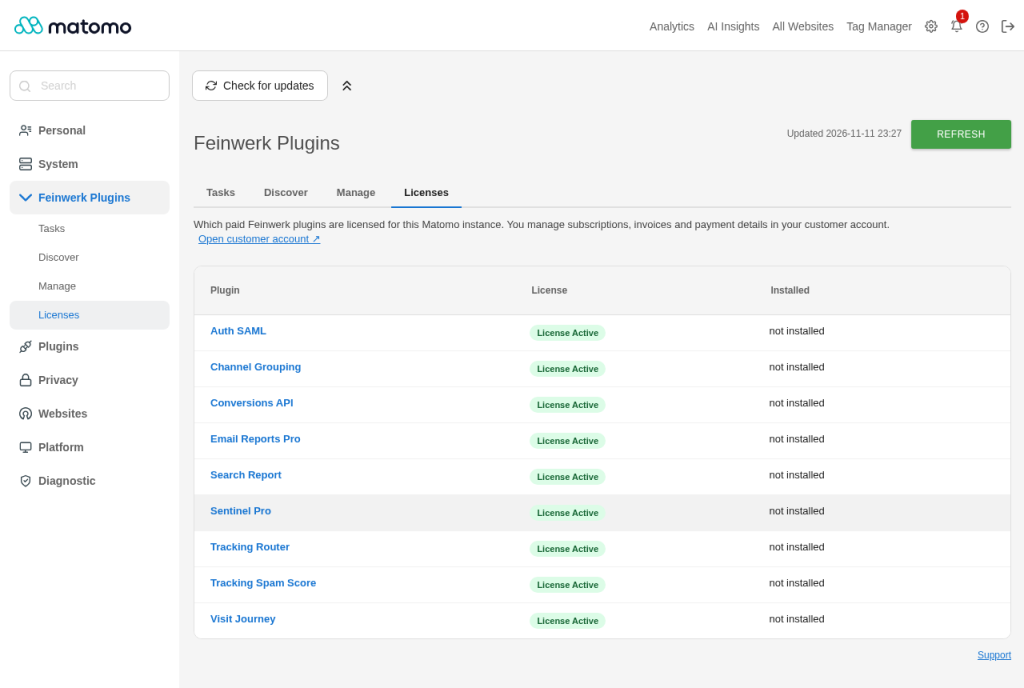
-
Licenses for paid plugins
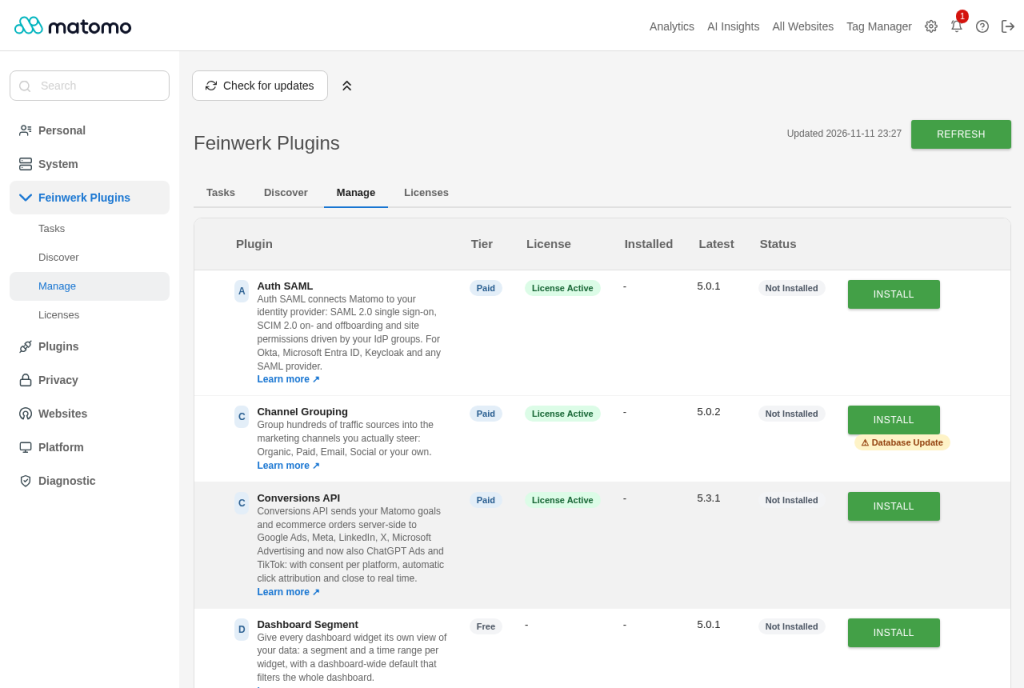
-
Manage install and update with one click
-
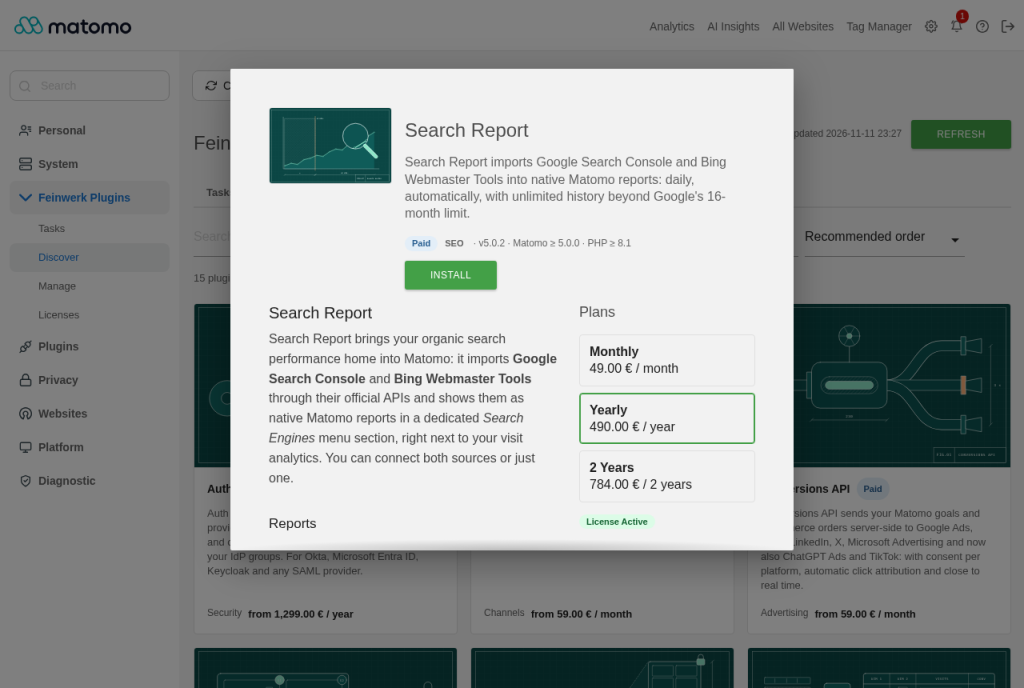
Plugin details with description and plans
-
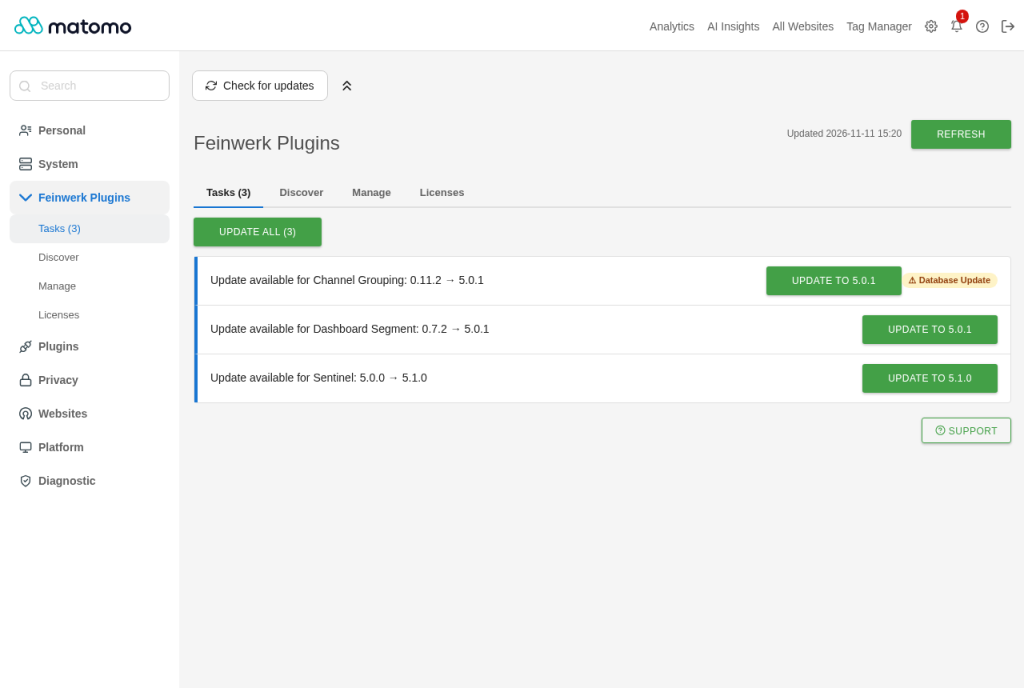
Tasks everything that needs you in one list
- Install and activate Feinwerk Connector from the Matomo Marketplace (Administration › Plugins › Marketplace).
- Open Administration › Feinwerk Plugins and click Connect with Feinwerk account. Log in on
plugins.feinwerk.io, pick or create the instance for this Matomo, and you are back in Matomo, connected.
- On Discover, open a plugin to read about it, then install it there or on Manage.
Want to look around before you create an account? Click Show Feinwerk plugins on the same screen: it lists all
Feinwerk plugins with description and price, and notes the ones not yet available for your Matomo version. A card opens
the plugin's page on plugins.feinwerk.io. To install, connect.
The four tabs of the Feinwerk Plugins screen:
- Tasks lists what needs you: updates, database updates, licenses that run out, a plugin that waits for its license.
- Discover shows all Feinwerk plugins. Click a card for the description, screenshots, versions and plans.
- Manage lists the Feinwerk plugins with their installed and latest version. Install or update one, or select
several and update them at once.
- Licenses shows the license of each paid plugin. Use an existing license of your account, or buy one.
Settings
Under Administration › System › General settings › Feinwerk Connector:
- Instance token: set by "Connect with Feinwerk account"; you can also paste it from your account.
- Auto-apply updates for these plugins: updated by the daily task. Updates that change the database are held back
and shown on Tasks.
- Show information notices, Show recommendations, Show notes on other Feinwerk offers: switch these notes
off if you do not want them.
In config.ini.php, section [FeinwerkMarketplaceConnector]: feedback = 0 hides the feedback question,
promotions = 0 hides all notes on other Feinwerk offers.
Console
The same on the command line, for example on a large Matomo or in a script:
./console feinwerkmarketplaceconnector:status lists the Feinwerk plugins (--json for scripts)../console feinwerkmarketplaceconnector:update --all updates every Feinwerk plugin with an update;
--core-update runs Matomo's database update right after, when one is needed../console feinwerkmarketplaceconnector:install FeinwerkSearchReport installs and activates a plugin../console feinwerkmarketplaceconnector:refresh loads the plugin list again../console feinwerkmarketplaceconnector:connect --token-file=token.txt connects this Matomo with the instance token
from your account.
Data
Before you connect, the connector sends nothing. What it sends afterwards, and when, is listed in the plugin
description under "What is sent to Feinwerk, and when".
Does the connector replace the Matomo Marketplace?
No. It adds the screen Administration › Feinwerk Plugins for the Plugins for Matomo by Feinwerk. The Matomo
Marketplace and its plugins keep working as before.
How do I connect my Matomo?
Open Administration › Feinwerk Plugins and click Connect with Feinwerk account. You log in on
plugins.feinwerk.io, pick or create the instance for this Matomo and come back connected. If your browser cannot reach
plugins.feinwerk.io, copy the instance token from your account into General settings › Instance token.
Can I see the plugins before I create an account?
Yes. Click Show Feinwerk plugins on Administration › Feinwerk Plugins. The connector loads the public list from
plugins.feinwerk.io, without an account and without data about your websites or users.
What is sent to Feinwerk?
Nothing before you connect, except the request for the public list when you click Show Feinwerk plugins. Afterwards: once a day the instance token, the Matomo and PHP version, the address of this
Matomo, the number of users and the installed Feinwerk plugins with their versions; when you use the screen, the plugin
concerned. No visitor data and no reports. The plugin description lists it in full.
My Matomo server is behind a firewall. What must it be allowed to reach?
One address: outgoing HTTPS (port 443) from the Matomo server to plugins.feinwerk.io. The plugin list, updates,
licenses, plugin downloads and plugin images all come from there; the connector contacts no other server. Allow the
host name rather than an IP address, the address can change. Some Feinwerk plugins talk to further services (for
example Search Report to Google and Bing); the connector guide
lists them.
If your Matomo reaches the internet through a proxy, enter it under [proxy] in config/config.ini.php: the
connector uses Matomo's own HTTP client and its proxy settings.
The browsers of your administrators open plugins.feinwerk.io too, to connect this Matomo and to buy licenses. When
the server cannot reach it at all, see "Without internet access" in the
connector guide.
Can I install and update the plugins on the command line?
Yes. ./console feinwerkmarketplaceconnector:update --all updates every Feinwerk plugin with an update,
./console feinwerkmarketplaceconnector:install <plugin> installs one, ./console feinwerkmarketplaceconnector:status
shows the state. On large Matomo instances this is the recommended way, together with ./console core:update for
database updates (or --core-update). All commands and options: the
connector guide.
Do I need a license?
Free Feinwerk plugins need none. Paid plugins need a license for this Matomo instance; the Licenses tab shows it,
and you can use an existing license of your account or buy one there.
What happens when I update Matomo to a new major version?
Before the update, the connector tells you which of your Feinwerk plugins already exist for that version; make a full
backup of files and database first. After the update, it installs the builds of your Feinwerk plugins for the new
version and switches on again what was active before. Plugins without a build yet follow as soon as they are released.
An update says it needs a database update. What do I do?
Run it on the Matomo update page that opens, or on large instances on the console with the command the connector
shows. Updates that change the database are never installed automatically.
How do I uninstall the connector?
Deactivate and uninstall FeinwerkMarketplaceConnector under Administration › Plugins. The Feinwerk plugins
you installed stay installed. Paid Feinwerk plugins check their license through the connector, so keep it while you use
them.
Where do I get help?
Write to support@feinwerk.io or read the connector guide.