Does it change my existing dashboards?
No. Until you choose a segment or time range for a widget or set a dashboard default, everything behaves exactly like standard Matomo.
Which segments can I use?
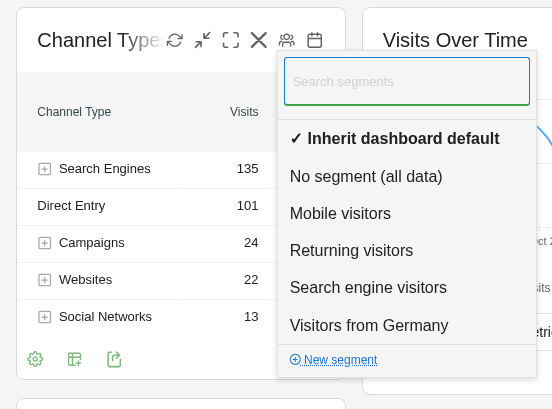
Every saved Matomo segment you are allowed to see for the website. Open the segment menu in the widget header; a search field filters long lists. To create a new segment, choose "New segment" in the menu: it opens Matomo's segment editor, and the saved segment is then available in the menu.
Which time ranges can a widget have?
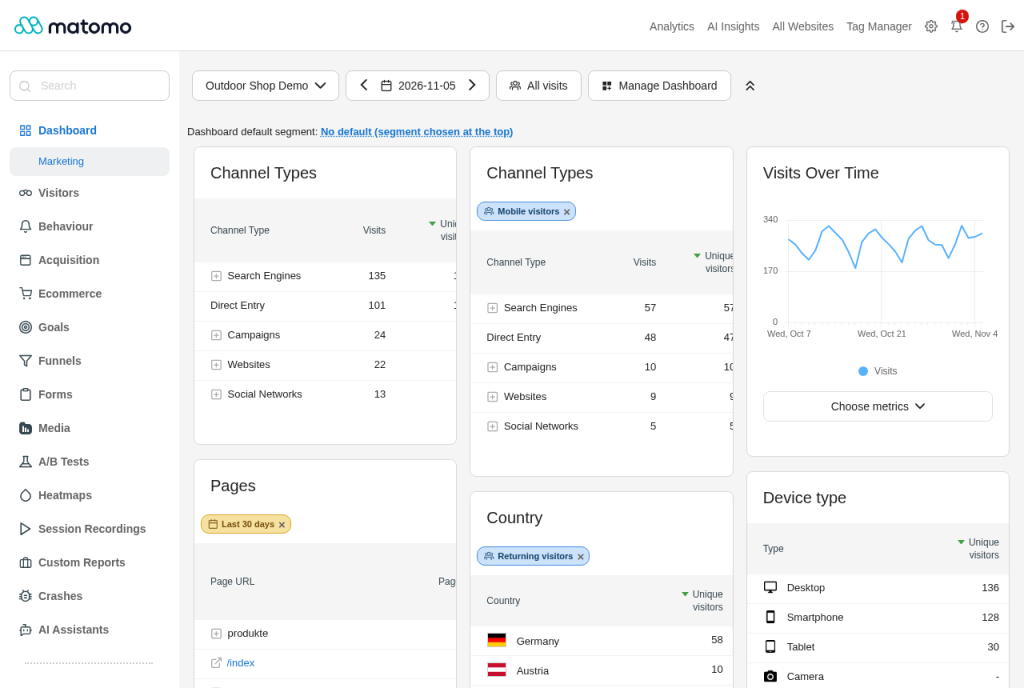
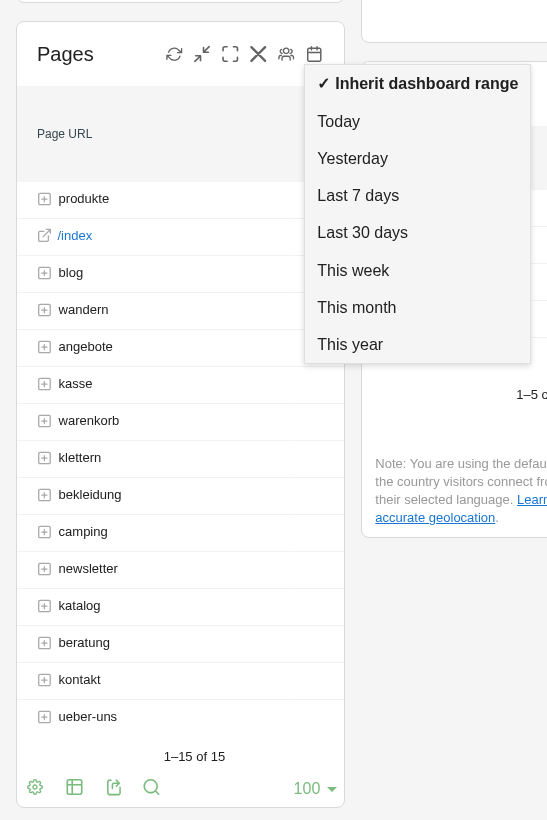
Today, yesterday, the last 7 days, the last 30 days, this week, this month and this year. The widget keeps its time range when you change the date of the dashboard. "×" in the bar under the widget title brings it back to the dashboard's date.
Which widgets support a segment or time range of their own?
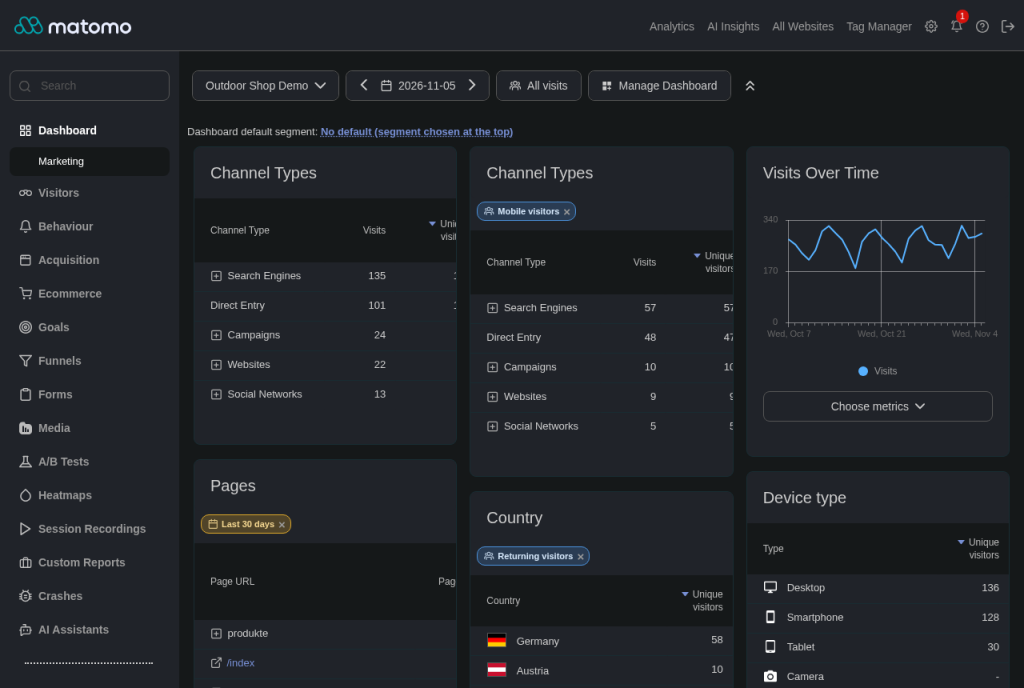
Report widgets that show a table, for example Channel Types, Pages, Entry pages, Countries, Device type or Campaigns. Graphs and charts, sparklines, the overview widgets (Visits Overview, Goals and Ecommerce overview), the Real-time widgets and the Visitor Map load their data themselves in the browser. They show no segment or time range buttons and follow the segment of the whole dashboard.
How do I filter graphs and the Real-time widget then?
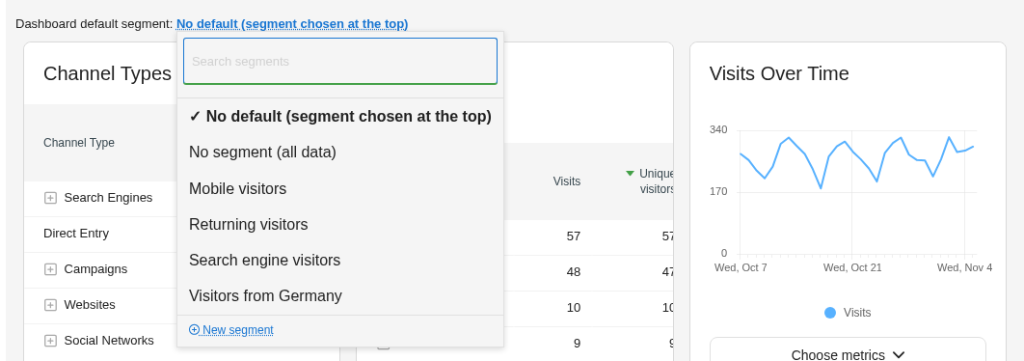
With the dashboard default segment above the widgets. It filters the whole dashboard, including graphs, sparklines, the Real-time widgets and the Visitor Map. When you leave the dashboard, the segment you had before comes back.
Can the same widget appear twice with different segments?
Yes. Add the widget twice and give each copy its own segment, for example to compare all visits with mobile visitors side by side.
Are my choices the same on every website?
No. Segments and time ranges are stored per user, dashboard and website, so each website keeps its own setup.
What do anonymous visitors of a public dashboard see?
The dashboard with its normal segment. Segment choices belong to signed-in users, so the plugin stays inactive for anonymous visitors.
Does it work with Feinwerk Dashboard Sharing?
Yes. When you share a dashboard, the copies of your colleagues take the segments and time ranges of your widgets along.
Where do I get help?
Documentation: https://plugins.feinwerk.io/en/docs/plugins/FeinwerkDashboardSegment. Support: support@feinwerk.io.