How do I install and configure this plugin?
- Install and activate AskAI from Administration > Platform > Marketplace.
- As a super user, connect a provider in Administration > System > AI Providers.
- Check Allow sending Matomo data to the AI provider in Administration > System > General settings > AskAI: it is off by default.
Apart from this consent and the other privacy settings, there is nothing to configure in AskAI itself. You can also download the plugin from GitHub, extract it to your plugins/ folder and activate it.
The chat says that data sharing is not allowed
No Matomo data leaves your instance without an explicit decision: a super user must check Allow sending Matomo data to the AI provider in Administration > System > General settings > AskAI. Other users are asked to contact a super user.
What do I need to make it work?
The AI Providers plugin, bundled with Matomo, with at least one connected provider. AskAI has no API key, host or model setting of its own.
Which AI providers and models are supported?
Every provider and model AI Providers supports: OpenAI, Anthropic, Google, Amazon Bedrock and custom OpenAI-compatible endpoints. AskAI always uses the provider and the model chosen in AI Providers, so changing them there is enough.
Where are the settings?
There are none. The provider, the model and the credentials are managed in AI Providers, and the chat and insight prompts are fixed, written for analytics and translated into 13 languages.
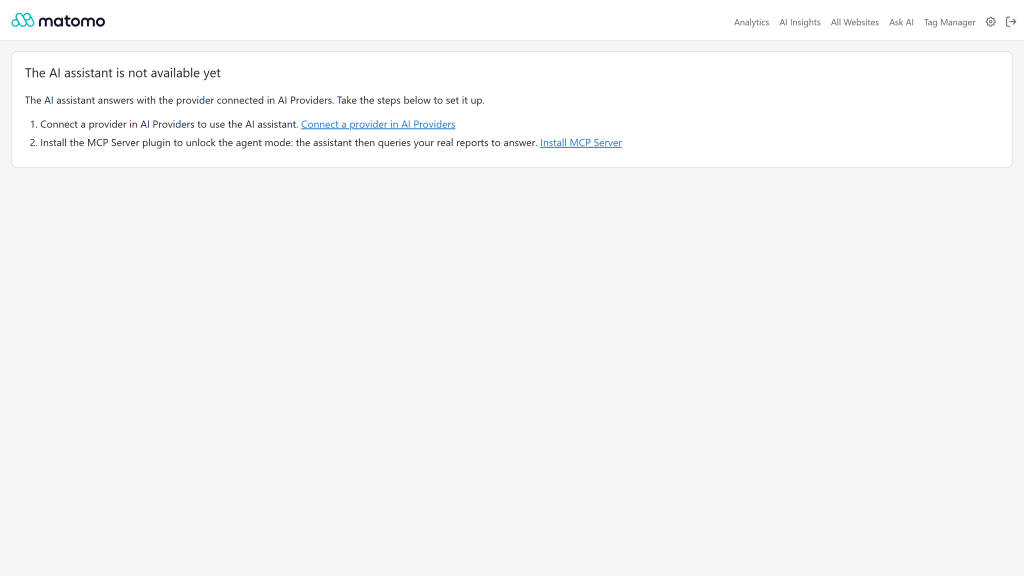
The Ask AI page shows steps instead of the chat
AI Providers cannot answer yet: the plugin is missing, not activated, or no provider is connected. The page lists the steps to take, with a direct link for super users. Other users are asked to contact their Matomo administrator.
What is the agent mode?
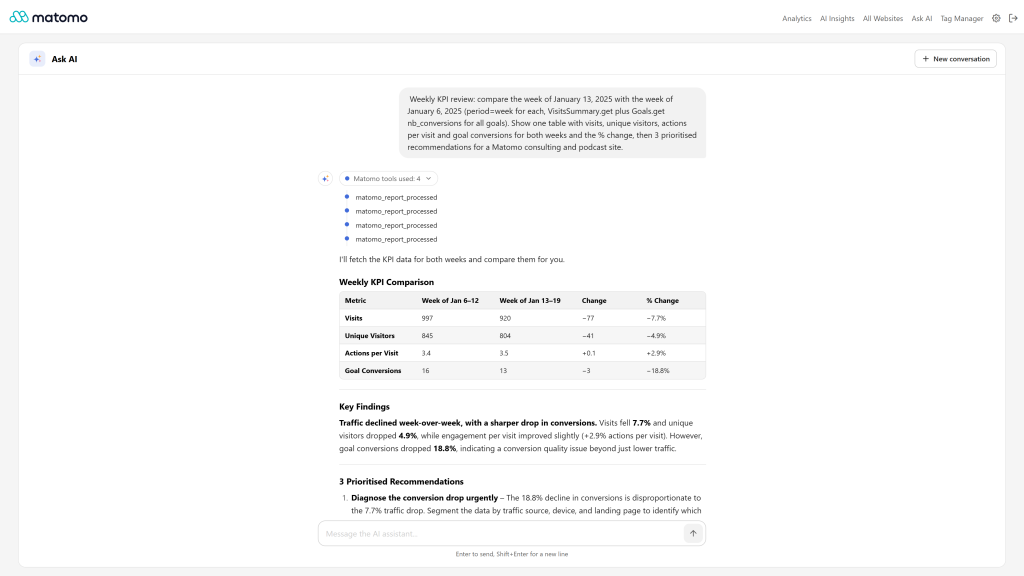
When the McpServer plugin is enabled, the chat and the insight panel work as an agent: they query your live reports, websites, goals, dimensions and segments through the Matomo tools to answer with real figures. A timeline shows each tool used.
To enable it, install, activate and enable McpServer in Administration > System > General settings > McpServer. The chat recommends each missing step, with a direct link for super users.
What happens when my model does not support tools?
The assistant answers as a plain chat, without the Matomo tools and without any error. Choose a model with tool support in AI Providers to use the agent mode.
Can the agent change things in Matomo?
Only if McpServer allows write methods (Raw Matomo API tool access), and only with your confirmation: before any create, update or delete, the agent describes the exact change and waits for your explicit confirmation in the conversation. The agent never has more access than the current user.
Do I need to expose my Matomo instance or configure OAuth for the agent?
No. The agent calls the Matomo tools inside your Matomo, with the permissions of the logged in user. It also works on private and intranet instances.
What do insights analyse?
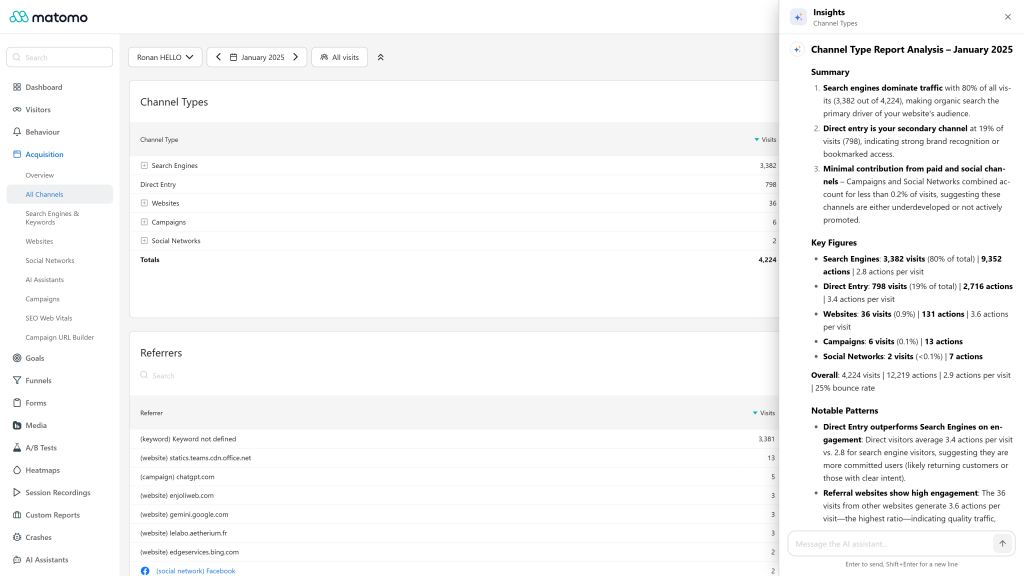
The whole report you are looking at, not only the visible rows: its rows, totals and metrics, with the active segment, period and comparisons. Insights work on data tables, evolution graphs, goals, custom reports and the other reports Matomo declares as widgets.
Can I use AskAI together with the other Openmost AI plugins?
Yes. They share a single insight panel: opening one closes the others, so two panels never stack.
Which data is sent to the AI provider?
Insights send the data of the report you are looking at (labels, metrics, totals, period, segment and comparisons) and the conversation to the provider connected in AI Providers. In agent mode, the results of the tools the agent calls are sent too. Raw visitor data is never sent, unless the report itself contains it, such as the Visits Log. Conversations are not stored by the plugin.
Is there a usage limit?
Yes, 30 AI requests per hour, per user and per website, to protect your AI budget.
Which languages are supported?
English, Arabic, Chinese (Simplified and Traditional), Dutch, French, German, Italian, Japanese, Polish, Portuguese, Spanish and Swedish.
What are the requirements?
- Matomo 6.x
- PHP 8.1 or higher
- AI Providers (bundled with Matomo) with a connected provider
- For the agent mode: the McpServer plugin
How do I get support?
Email ronan@openmost.com, or open an issue on GitHub. More on https://openmost.com/matomo/extensions/ask-ai.