See which companies visit your website — directly in Matomo.
Webmetic identifies the companies behind your website visitors (B2B visitor
identification) and integrates the results into the Matomo features you already use:
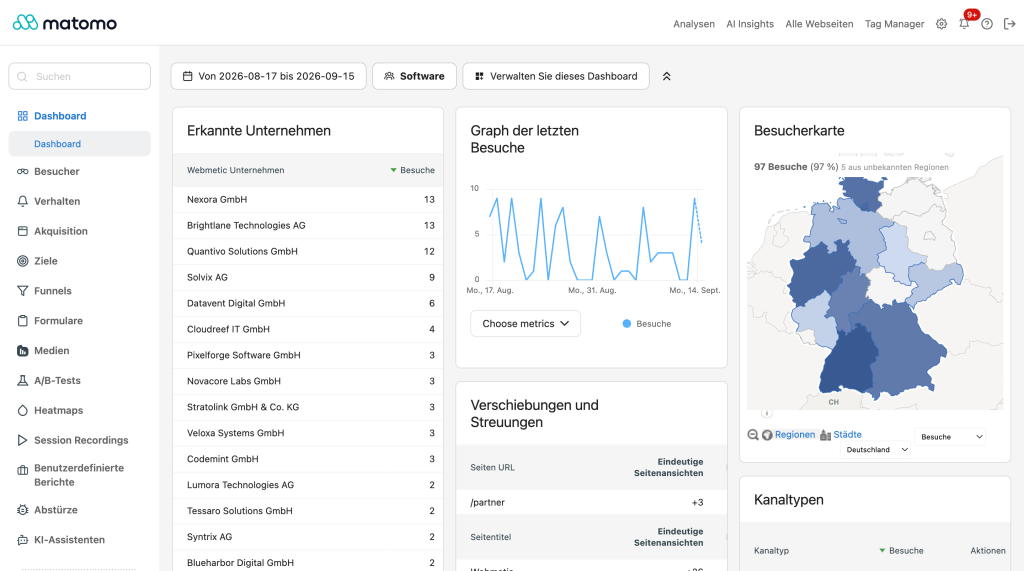
- Companies report under Visitors, with a dashboard widget
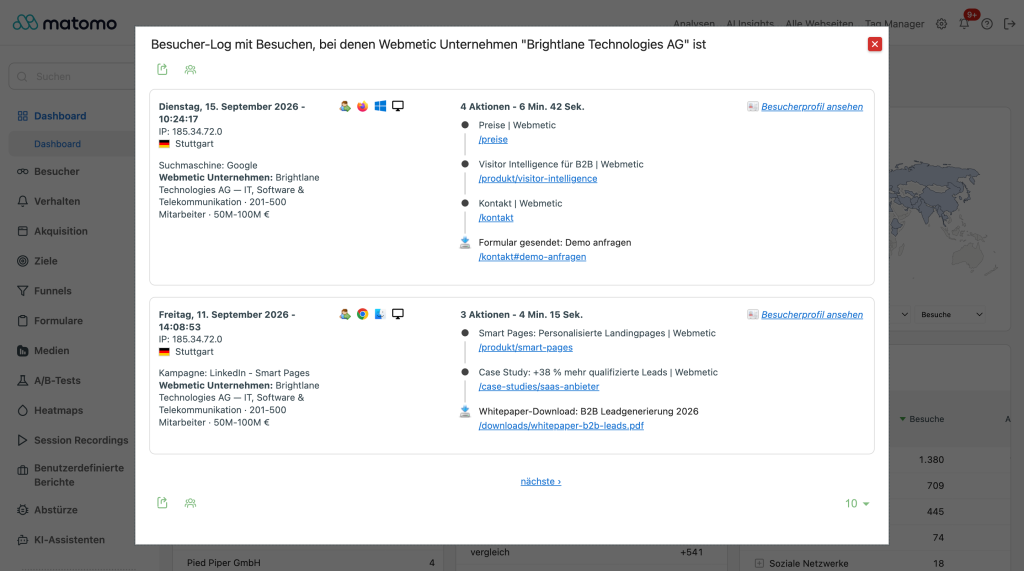
- Company name on every identified visit in the Visitor Log and visitor profile
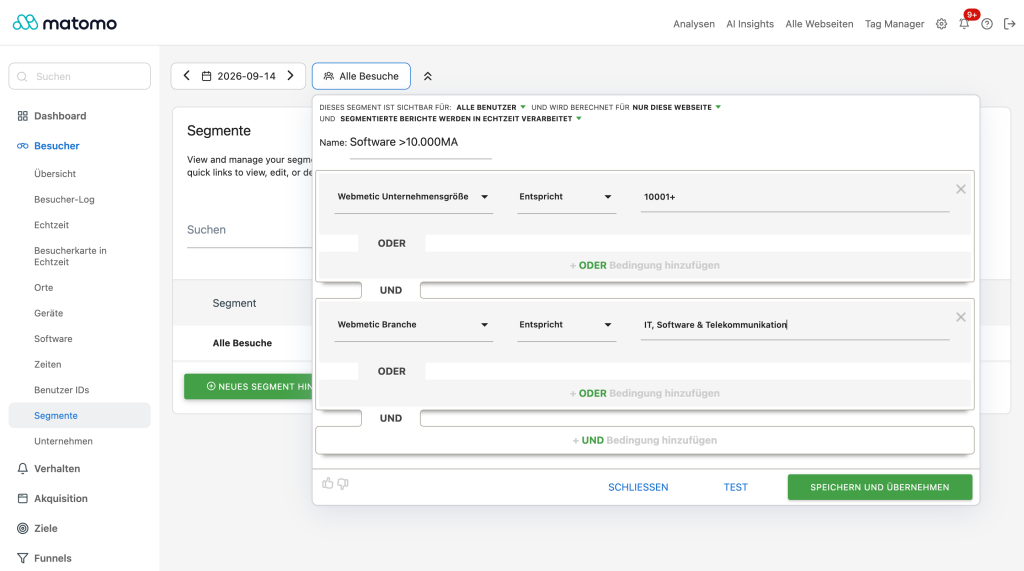
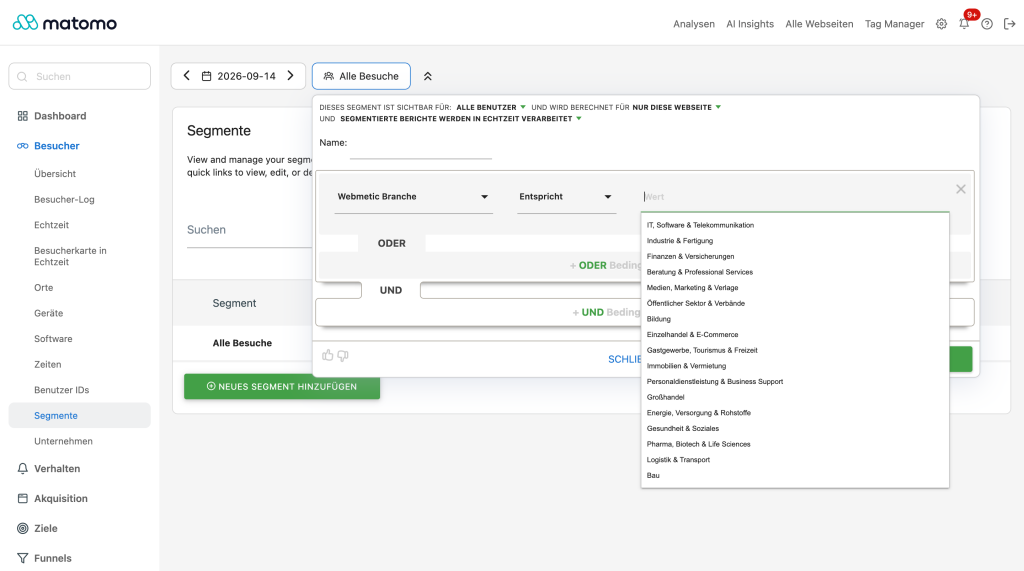
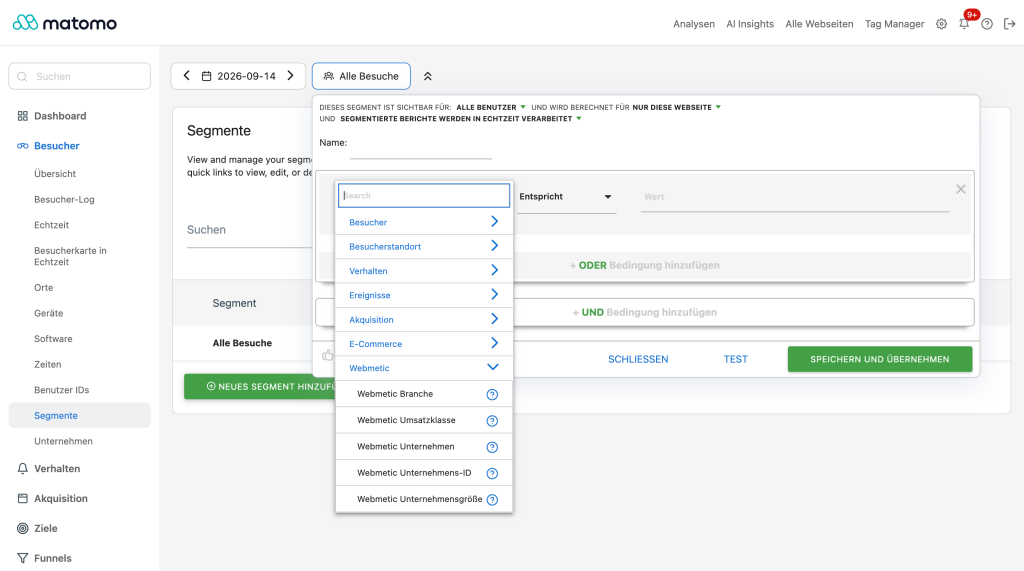
- Segments: filter any Matomo report by company (e.g. pages viewed by a specific
company, referrers that brought a specific company to your site)
- Company data is also available through the Matomo Reporting & Live APIs
How it works
On the first page view of a visit, the plugin sends a sha256 hash of the visitor's
IP address (never the raw IP) to the Webmetic API. If the IP belongs to an
identifiable company network, the company name is stored with the visit. Results are
cached locally, lookups run fail-safe and never delay your tracking.
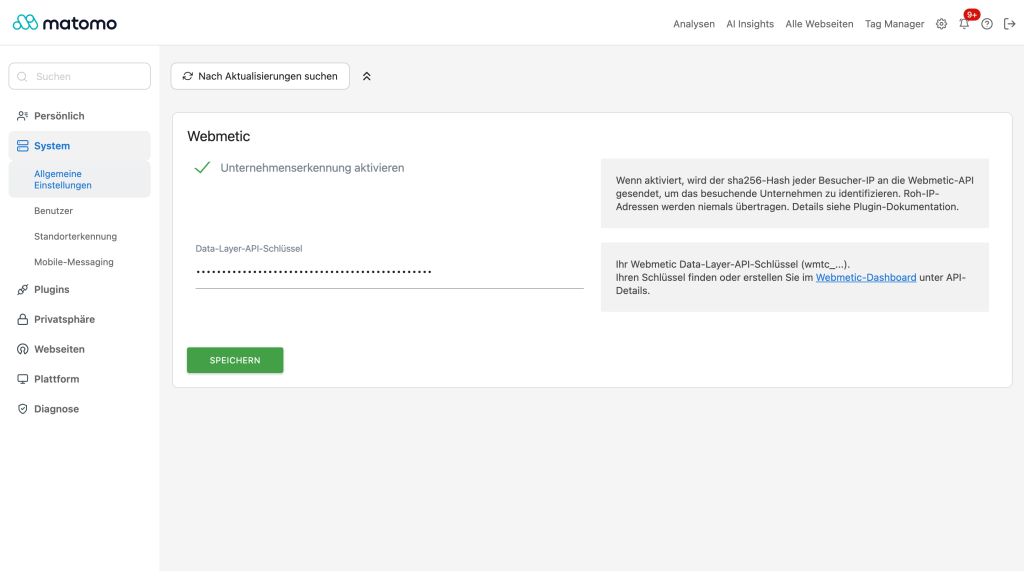
A Webmetic account with a Data Layer API key is required.
Identification quality is focused on the DACH region (Germany, Austria, Switzerland).
Privacy
- Only a one-way hash of the visitor IP is transmitted — never the raw IP address.
- Company identification is disabled by default and must be enabled explicitly.
- If Matomo's IP anonymization is configured to also apply to visit enrichment,
lookups are skipped entirely.
- Stored data (company name/ID per visit, local lookup cache) is fully covered by
Matomo's GDPR export, erasure, and retention-purge tooling.
- Details: see your Webmetic data processing agreement (AVV).
-
Combine-company-size-and-industry
-
Identified-companies-in-your-dashboard
-
Plugin-settings
-
Segment-visitors-by-industry
-
Visitor-log-filtered-by-company
-
Webmetic-segments-in-every-report
Do I need a Webmetic account?
Yes. The plugin uses the Webmetic API to resolve visitor IPs to companies. You can
create an account at webmetic.de; the Data Layer API key is
available in your Webmetic dashboard under API details.
Which data is sent to Webmetic?
Only the sha256 hash of the visitor IP address, together with your API key. No URLs,
no user agents, no cookies, and never the raw IP address.
Why do I not see any companies?
Only visits from identifiable company networks can be resolved — visitors from home
or mobile connections are not identified (that is by design). Also check that:
(1) company identification is enabled in the plugin settings, (2) your API key is
valid (it is verified when you save the settings), and (3) Matomo's privacy setting
"use anonymized IP addresses when enriching visits" is disabled — with masked IPs no
lookup is possible.
Does the plugin slow down my tracking?
No. Lookups happen at most once per visit, results (including "no match") are cached
locally, the HTTP call has a strict timeout, and every failure path simply skips
identification instead of delaying the request.
Can I filter reports by company?
Yes — the plugin registers two segments (company name and company ID). Any Matomo
report can be filtered or compared by company.