Hide reports from the Matomo reporting menu, for one website or for all websites at once, without losing any data.
Features
- Two management pages:
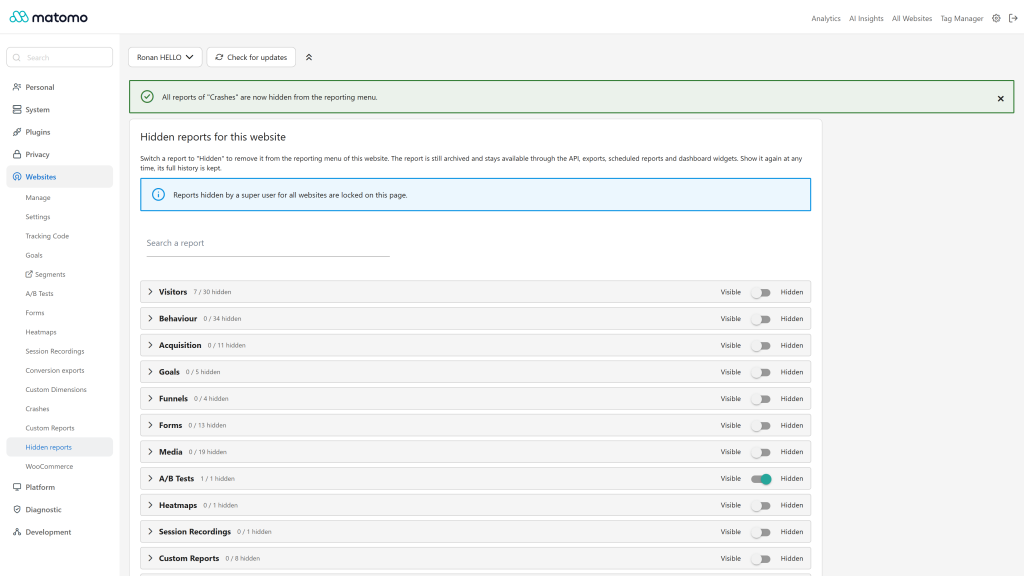
- Administration > Websites > Hidden reports: website admins hide reports for the selected website.
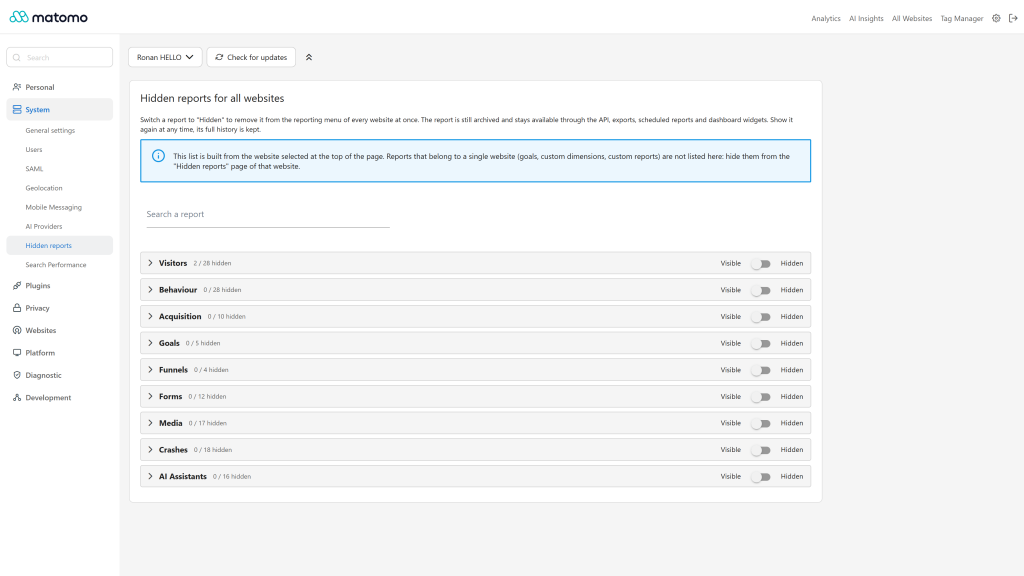
- Administration > System > Hidden reports: super users hide reports for all websites at once.
- Everything the reporting menu shows can be hidden: core and plugin reports, Custom Reports, Custom Dimensions, and widgets that are not reports, such as Transitions or the real-time map.
- Fast to manage: collapsible categories and subcategories, a search field, a switch per report, and a switch to hide or show a whole category. Changes are saved immediately.
- No data loss: a hidden report is only removed from the reporting menu. It is still archived and stays available through the HTTP API, exports, scheduled reports and dashboard widgets. Show it again at any time, its full history is there.
- Clear precedence: a report hidden for all websites by a super user is locked on the website pages. A subcategory whose reports are all hidden disappears from the menu.
- HTTP API:
HiddenReports.getReports, HiddenReports.getGlobalReports, HiddenReports.getHiddenReports, HiddenReports.setReportHidden, HiddenReports.setReportsHidden, HiddenReports.setReportHiddenGlobally, HiddenReports.setReportsHiddenGlobally.
- Translated into 12 languages.
Requirements
- Matomo 5.0.0 or later, up to Matomo 6 excluded (
>=5.0.0,<6.0.0-b1)
- On Matomo 6, install Hidden Reports 6.x instead.
Installation / Configuration
- Install Hidden Reports from the Marketplace (Administration > Platform > Marketplace) and activate it.
- Go to Administration > Websites > Hidden reports (admin access on the website) or Administration > System > Hidden reports (super user).
- Switch reports to "Hidden".
Hidden reports are hidden for every user of the website, super users included. Only the Hidden reports pages keep listing them.
Privacy and data
The list of hidden reports is stored in the Matomo option table. It is cleaned when a website is deleted and when the plugin is uninstalled. The plugin sends no data to third parties.
Need help with Matomo?
Openmost is an official Matomo Implementation Partner. To go further than a cleaner menu, we build custom Matomo dashboards and KPI reports tailored to each audience, with KPIs defined with you and maintained over time.
-
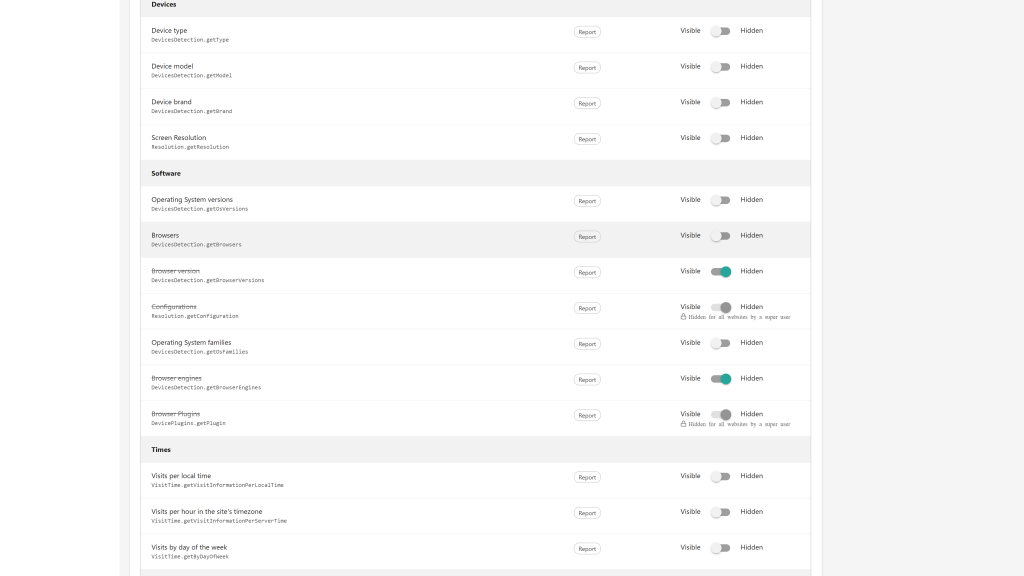
Hide a report per website with one switch
-
Hide a whole category per website
-
Super users hide reports for all websites
Hide a report for one website
- Go to Administration > Websites > Hidden reports.
- Select the website at the top of the page.
- Open a category, or use the search field.
- Switch the report to Hidden. The change is saved immediately.
Use the switch in the header of a category to hide or show all its reports at once.
The report disappears from the reporting menu of this website. A subcategory whose reports are all hidden disappears from the menu too.
Hide a report for all websites
- As a super user, go to Administration > System > Hidden reports.
- Switch the report to Hidden.
The list is built from the website selected at the top of the page. Reports bound to a single website (goals, custom dimensions, custom reports) are only available on the website page.
Show a report again
Switch the report back to Visible. As the report was never removed from archiving, its full history is available right away.
How do I install this plugin?
Install it from the Matomo Marketplace like any other plugin:
- Go to Administration > Platform > Marketplace
- Search for "Hidden Reports", install and activate the plugin.
- Go to Administration > Websites > Hidden reports or Administration > System > Hidden reports.
Who can hide reports?
Users with an admin access on a website hide reports for this website. Super users can also hide reports for all websites at once.
Who no longer sees a hidden report?
Everybody, super users included. Only the Hidden reports pages keep listing it.
Is the data of a hidden report deleted?
No. The report is still archived, and remains available through the HTTP API, exports, scheduled reports and dashboard widgets. Show it again at any time to get it back in the menu with its full history.
Why can't I show a report on the website page?
It was hidden for all websites by a super user. Only a super user can show it again, from Administration > System > Hidden reports.
Why are goals, custom dimensions and custom reports missing from the System page?
These reports belong to a single website. Hide them from the Hidden reports page of the website.