Bots that look like real visitors, referrer spam or test traffic that slipped through: once such visits are in Matomo,
they distort visits, bounce rate and conversion rates in every report. Matomo's GDPR tool can delete data, but it is
made for individual people, not for thousands of visits across several websites and months.
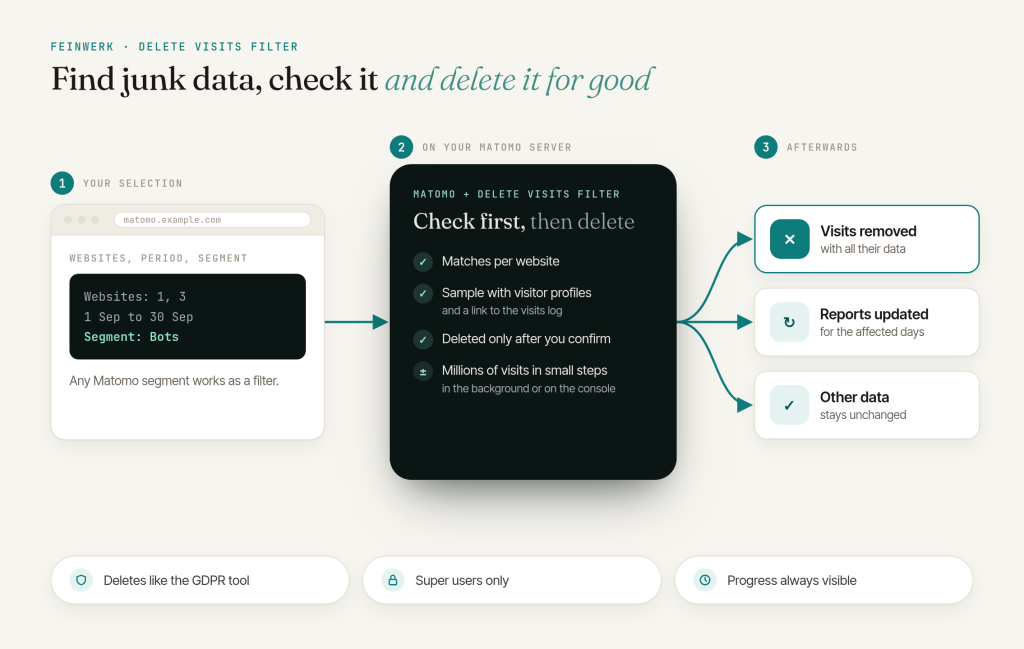
Feinwerk Delete Visits Filter deletes every visit that matches a Matomo segment, on one website, several or all of
them, in any date range. You see what will be deleted before anything happens, and large deletions keep running in the
background until they are done.
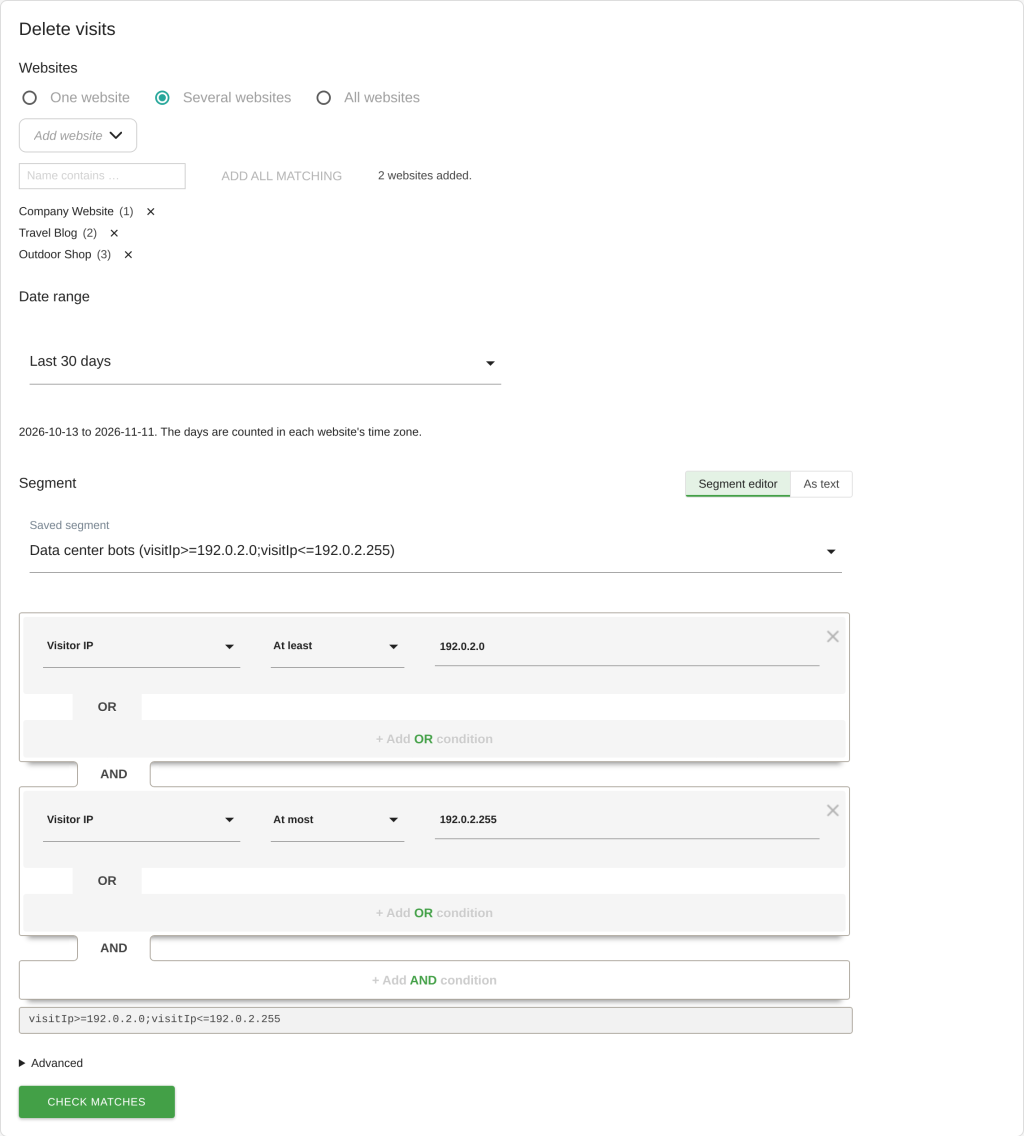
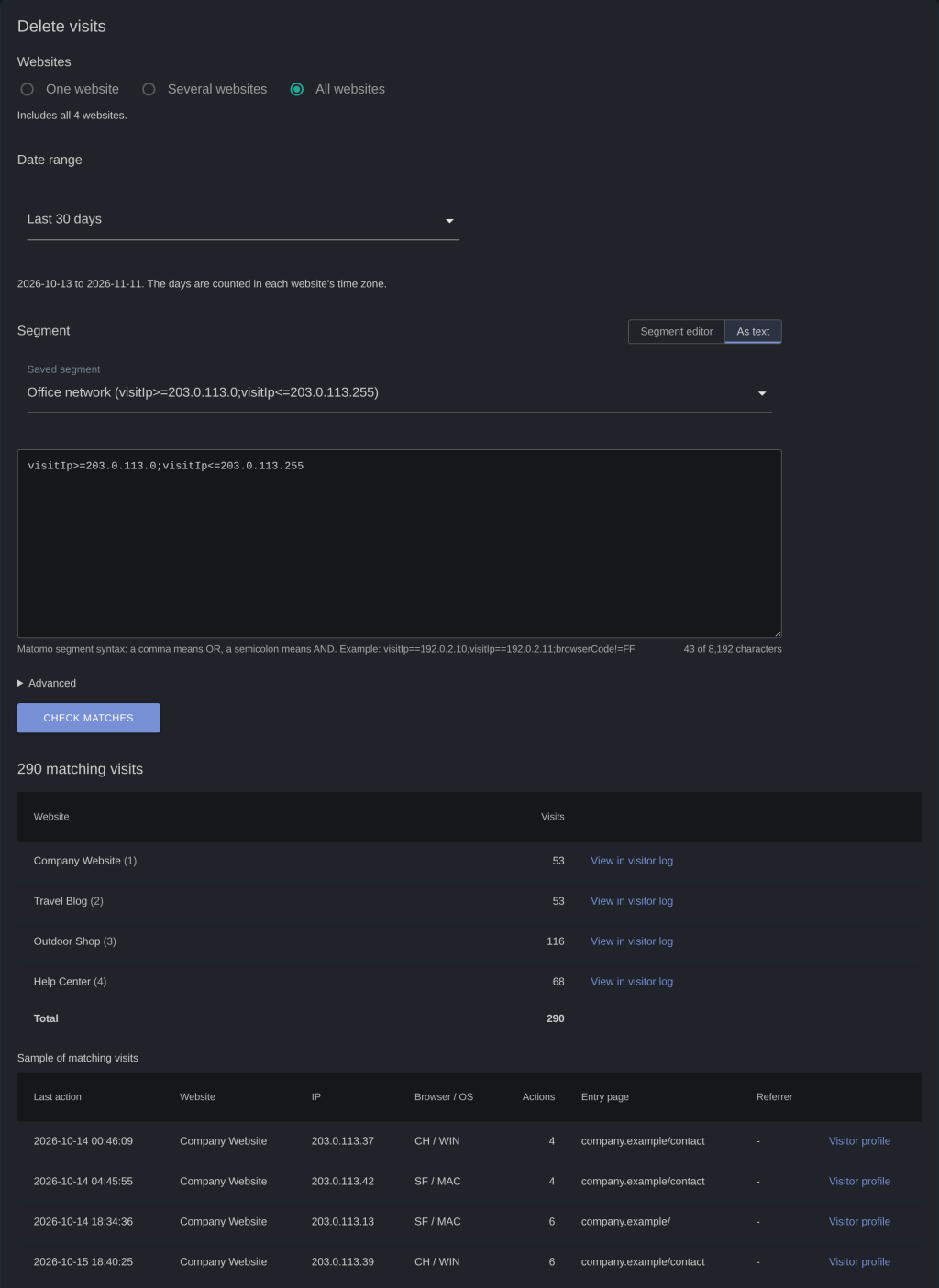
- Choose exactly what goes: one website, several (also all whose name contains a text) or all websites; a preset
such as "Last 30 days" or any range from the calendar, counted in each website's time zone; a saved segment, Matomo's
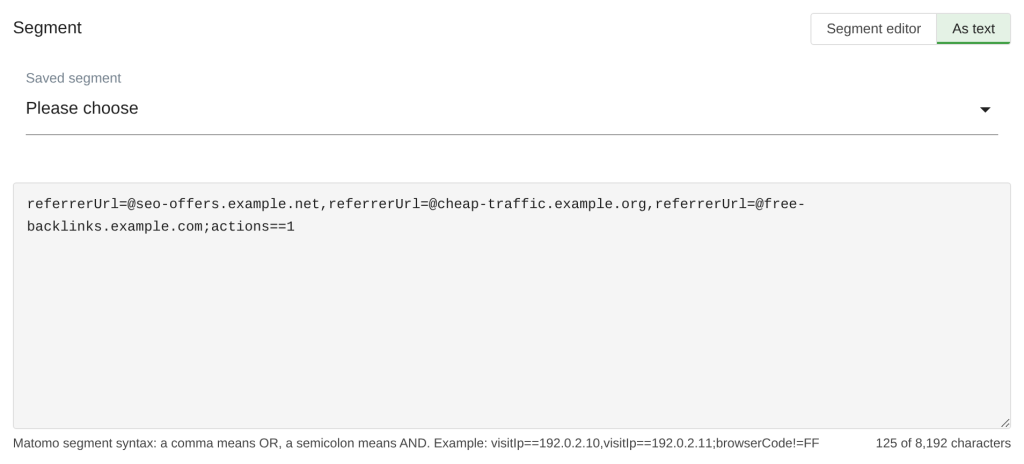
segment editor or plain text. Any Matomo segment works, for example IP ranges, referrers, browsers or page URLs.
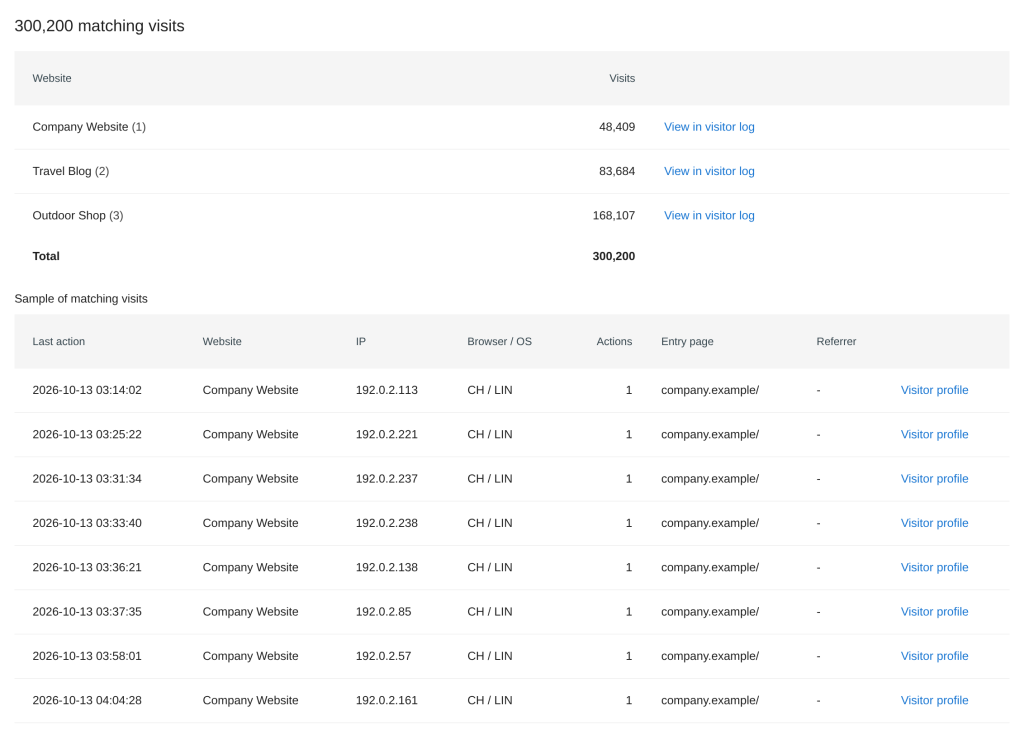
- Check before you delete: the matching visits per website and in total, a sample with time, IP, browser, entry
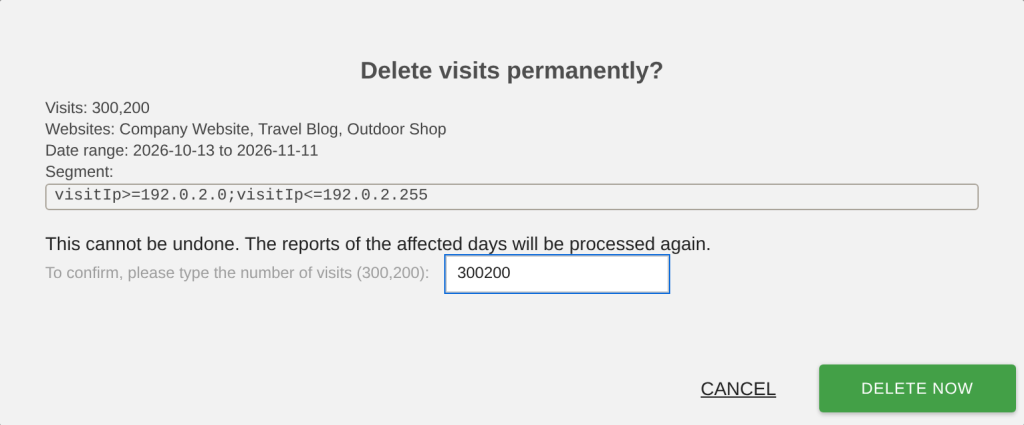
page and referrer, a link to the visitor profile and to the visitor log. From 10,000 visits on you type the number of
visits to confirm.
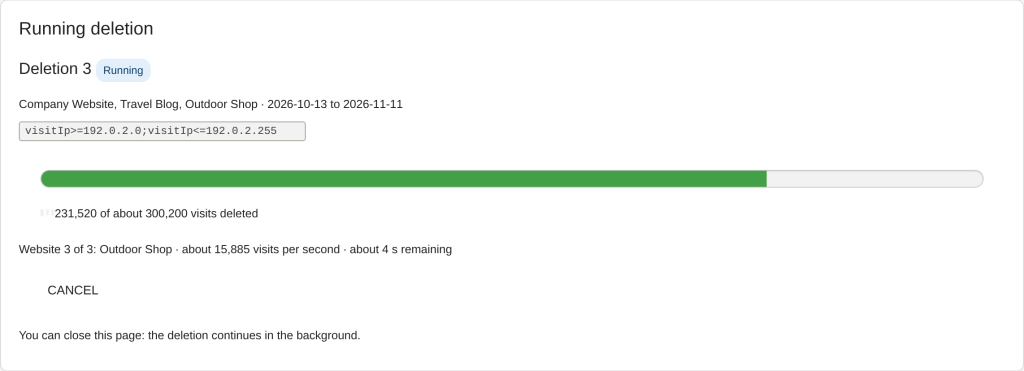
- Built for large clean-ups: deletions run as jobs in small steps, so even millions of visits do not run into
timeouts. If you reload or close the page, the deletion continues in the background; very large ones can also run
on the console without a time limit.
- Clean data, correct reports: visits are removed with all their data from Matomo's raw data tables, with the same
routine as Matomo's GDPR tool, and the affected days are processed again automatically.
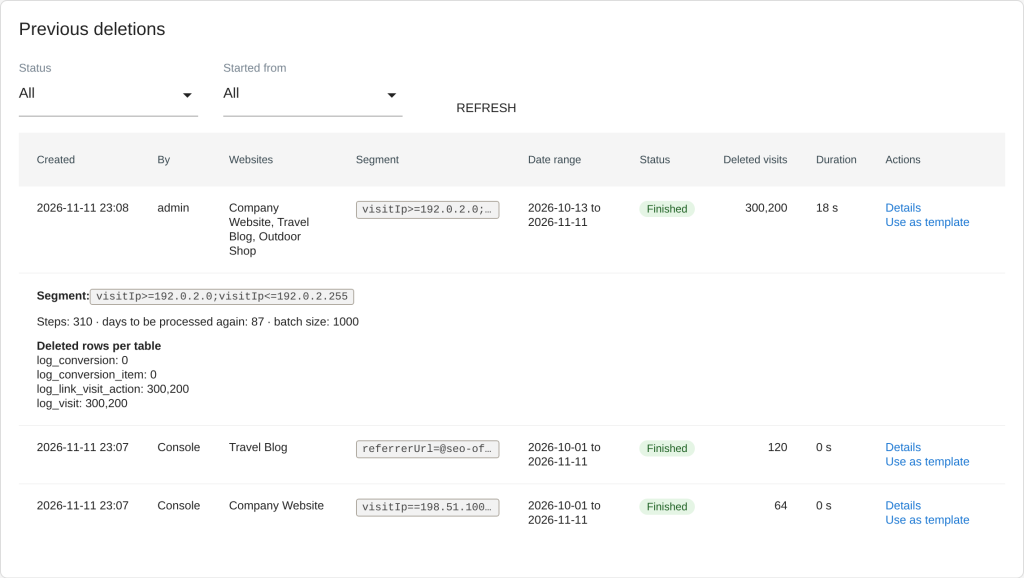
- History: every deletion with who started it, websites, segment, status, deleted visits and duration. "Use as
template" starts a new deletion with the same settings, "Try again" continues a failed one.
- Console and API for scripts and cron jobs, light and dark mode, English and German.
Documentation: plugins.feinwerk.io.
Questions and ideas: support@feinwerk.io.
-
Check first then delete with all their data
-
Check the matching visits per website with a sample
-
Choose websites date range and segment
-
Confirm large deletions by typing the number of visits
-
History of all deletions with details
-
Progress of a running deletion
-
Segment as text with syntax hint and counter
-
Works in dark mode