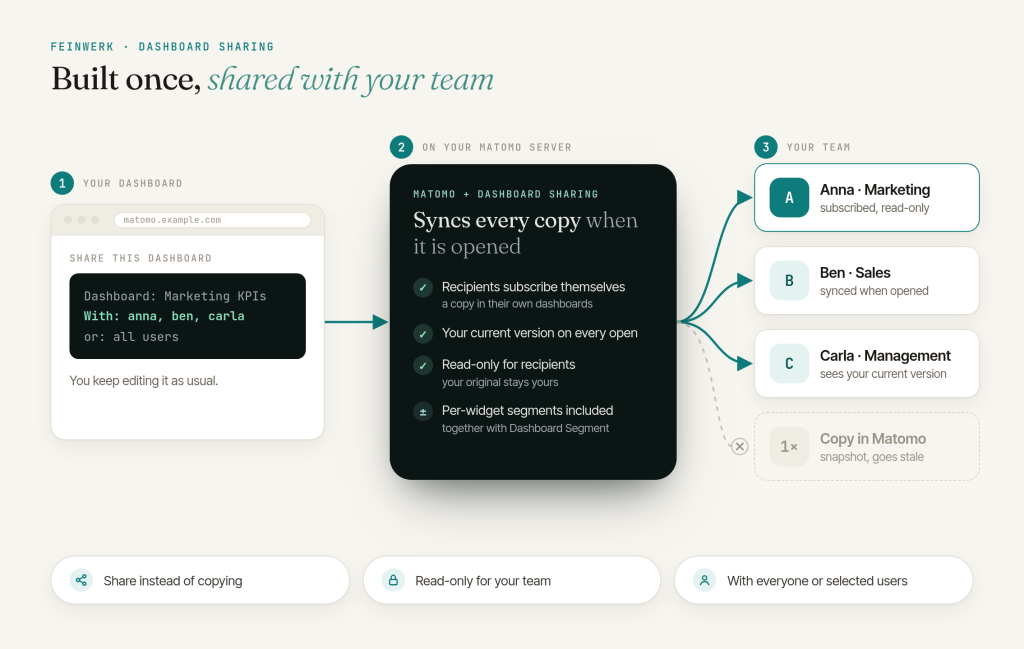
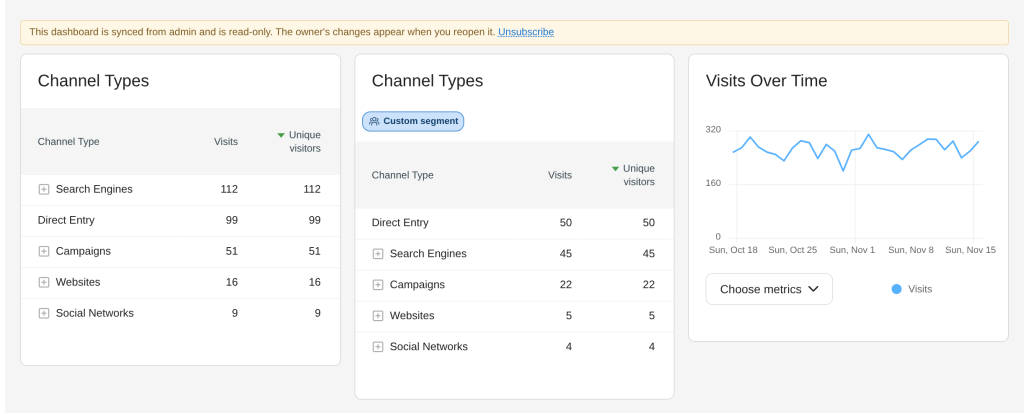
Build a dashboard once and share it with your team: everyone sees your current version, nobody can change it.
Dashboards in Matomo are personal. If you have built a dashboard that your colleagues should also see, you would
normally have to recreate it for each person. Feinwerk Dashboard Sharing lets you share it instead:
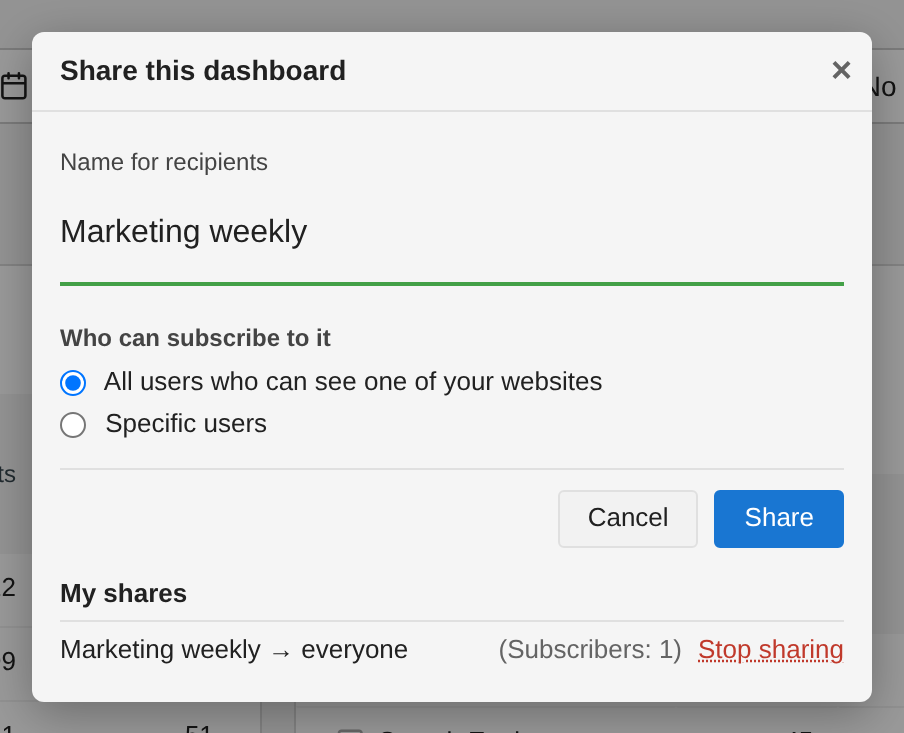
- Share with specific users or your whole team: pick the Matomo users who may subscribe, or offer the dashboard to
all users who can see one of your websites.
- Always up to date: a subscriber gets their own copy of the dashboard. When you change your dashboard, the copy is
updated the next time the subscriber opens it.
- Read-only for recipients: subscribers can look at the shared dashboard, but cannot change the layout or the
widgets of the copy. Your original stays under your control.
- Stop sharing at any time: withdrawing a share removes it from the list of available dashboards.
- Only within your websites: a shared dashboard is offered only to users who can see at least one of your websites
(super users see every share). Recipients see the reports with their own permissions, so only for websites they can
access in Matomo.
- Light and dark mode; English, German, French, Spanish and Italian.
The plugin never modifies Matomo core or the bundled Dashboard plugin and keeps shares and subscriptions in tables of
its own, so it survives Matomo updates.
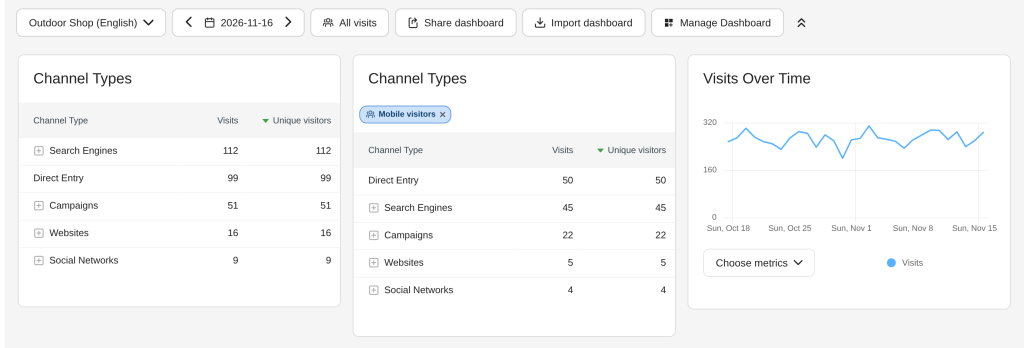
Works with Feinwerk Dashboard Segment (free): shared dashboards keep the segment and time range of each widget.
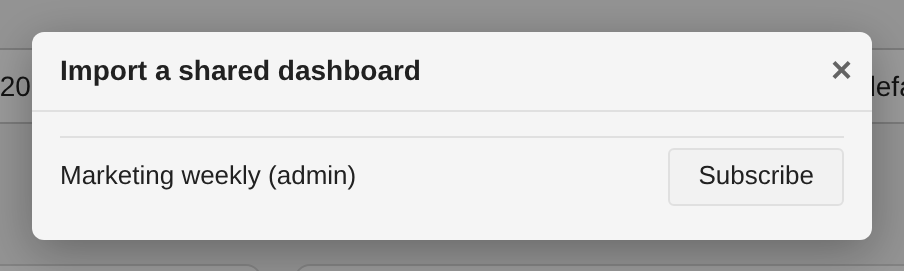
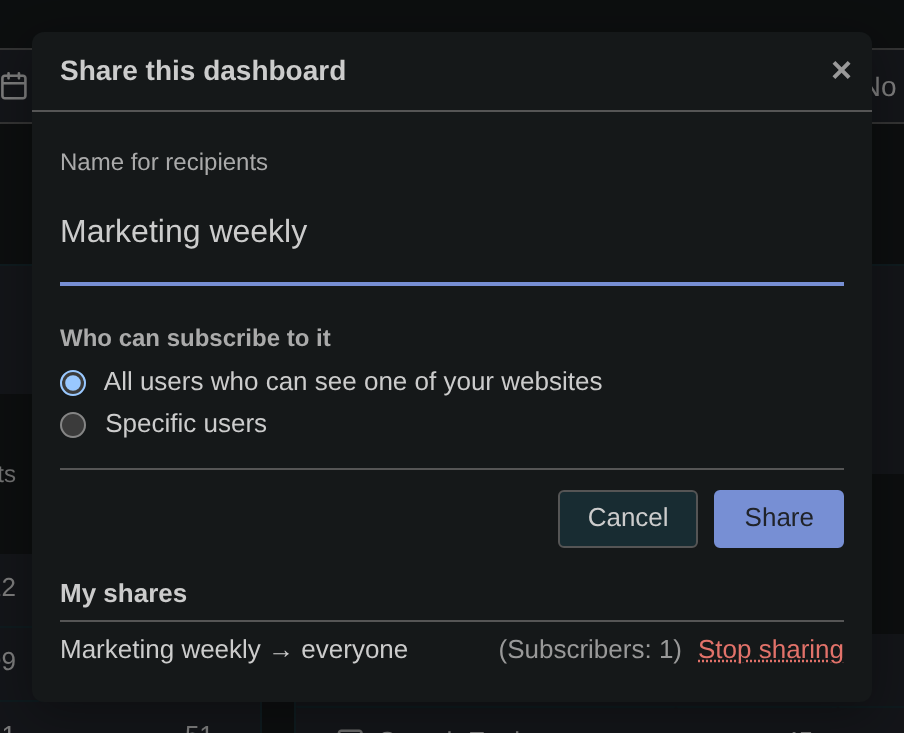
Get started: open a dashboard and click Share dashboard in the bar at the top, next to the date and segment
selection. Your colleagues find it there under Import dashboard.
More Plugins for Matomo by Feinwerk: install Feinwerk Connector
from the Matomo Marketplace to discover, install and update all Feinwerk plugins, free and paid, right in your Matomo.
Documentation: plugins.feinwerk.io.
Demo
-
One dashboard for the whole team always up to date
-
Share and import right in the top bar
-
Choose who may subscribe to your dashboard
-
Colleagues subscribe with one click
-
The shared copy is read-only and updates itself
-
Also in dark mode
Who can share a dashboard?
Every signed-in Matomo user can share their own dashboards. Click Share dashboard in the bar at the top, next to the date and segment selection, then choose All users who can see one of your websites or enter the logins of specific users. Users with admin access also get a list of users to tick.
Who sees a shared dashboard?
Only users who can see at least one of your websites, whether you share it with all users or with a list of logins. Super users see every share. If you and a subscriber no longer have a website in common, the copy keeps its last version and is no longer synchronised.
What do recipients get?
Their own copy of the dashboard, marked with a people icon in the dashboard menu. The copy is read-only and is synchronised with your original every time it is opened.
Do recipients see data of websites they cannot access?
No. Only the widgets and their layout are shared. Every recipient sees the numbers with their own Matomo permissions, so only for websites they can access.
What happens when I stop sharing or remove the original?
Subscribers keep the last version they received, but it is no longer synchronised. After Stop sharing the copy becomes an ordinary dashboard of the subscriber. If you remove the original with Matomo's Remove dashboard, its shares end as well.
Does it work with per-widget segments?
Yes, together with Feinwerk Dashboard Segment: subscribers then also get the segment and time range of each widget. Feinwerk Dashboard Sharing works on its own as well.
Does the plugin change Matomo?
No. It modifies neither Matomo core nor the bundled Dashboard plugin and keeps shares and subscriptions in tables of its own.
Where do I find more Feinwerk plugins?
Install Feinwerk Connector from the Matomo Marketplace. It lists all Plugins for Matomo by Feinwerk, free and paid, and installs and updates them with one click.
Where do I get help?
Documentation: https://plugins.feinwerk.io/en/docs/plugins/FeinwerkDashboardSharing. Support: support@feinwerk.io.