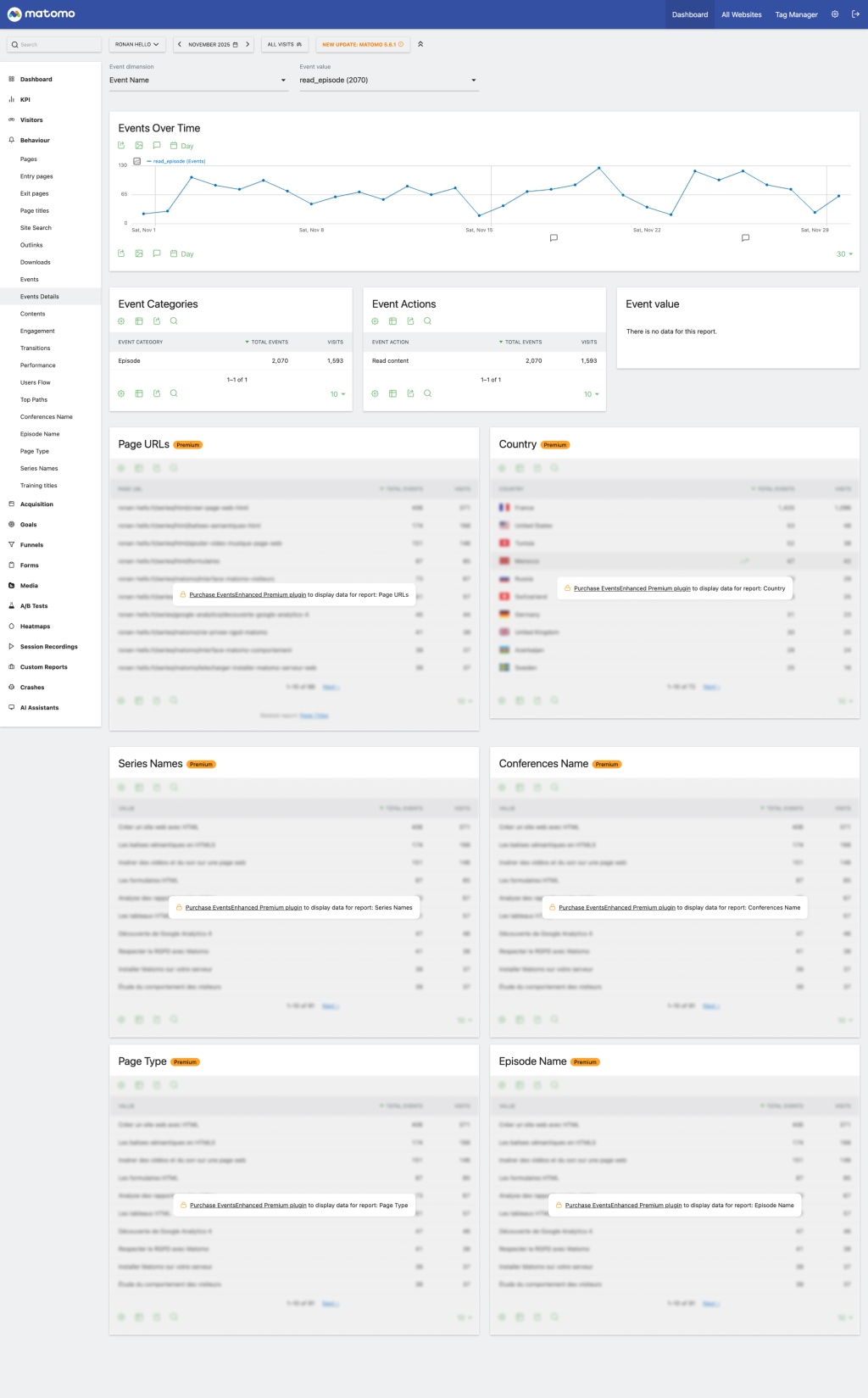
EventsEnhanced extends Matomo's native Events reports by adding detailed dimension pages for each event category, action, and name value.
Features
- Detail Pages: Click on any event dimension value (category, action, or name) to open a dedicated detail page
- Evolution Graph: View how the event dimension value trends over time
- Related Dimension Reports: See breakdowns by other event dimensions
- Page Context (premium): View which page URLs and page titles triggered events with the selected dimension value
- Custom Dimensions (premium): If you have Custom Dimensions configured with action scope, see their values for events with the selected dimension value
How to Use
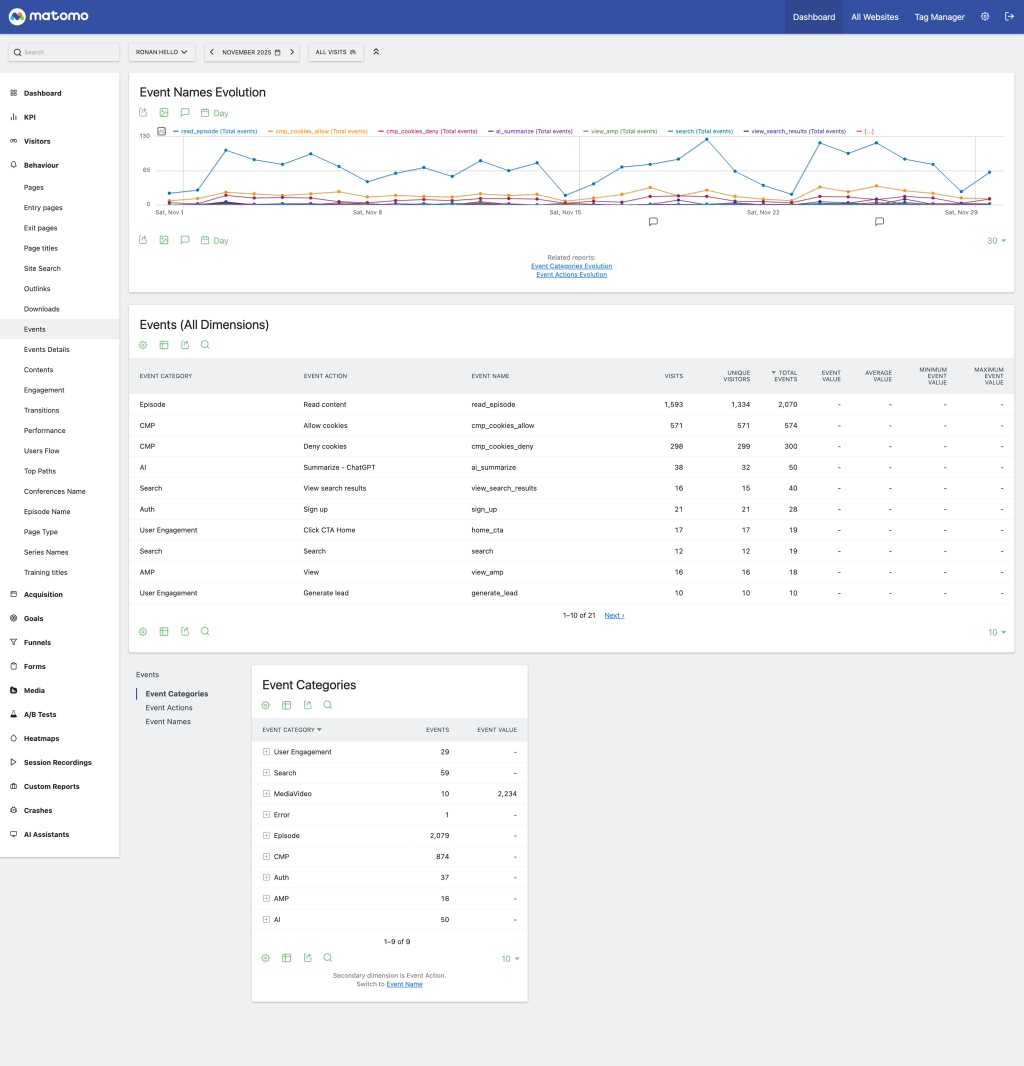
- Navigate to the Events reports in Matomo (Behavior > Events)
- In any events data table (Categories, Actions, or Names), hover over a row
- Click the "View Event Details" icon that appears
- Explore the detailed analytics for that specific event dimension value
Requirements
- Matomo 5.0.0 or later
- Events plugin (included in Matomo core)
- Optional for premium: CustomDimensions plugin for custom dimension reports
Installation
- Place this plugin folder in the
plugins directory of your Matomo installation
- Go to Administration > Plugins
- Activate the EventsEnhanced plugin
Purchase EventsEnhanced Premium version
License
GPL v3 or later
-
Event Details Page
-
Events Reports
EventsEnhanced adds detailed analytics pages for event dimension values. When viewing Events reports, you can click on any category, action, or name value to see comprehensive analytics for that specific value.
Detail Pages
Each detail page includes:
- Evolution Graph: Shows how the event dimension value has trended over the selected period, with the ability to select different metrics
- Related Dimension Reports:
- For Category pages: Actions and Names reports filtered to that category
- For Action pages: Categories and Names reports filtered to that action
- For Name pages: Categories and Actions reports filtered to that name
- Page Context (premium): Page URLs and Page Titles where events with this dimension value were actually triggered (not just pages visited during sessions with events)
- Custom Dimensions (premium): If you have action-scoped Custom Dimensions, their values are displayed for events matching the selected dimension value
Purchase EventsEnhanced Premium version
API Methods
The plugin adds the following API methods:
EventsEnhanced.getEventActionsForCategory - Get event actions for a specific categoryEventsEnhanced.getEventNamesForCategory - Get event names for a specific categoryEventsEnhanced.getEventCategoriesForAction - Get event categories for a specific actionEventsEnhanced.getEventNamesForAction - Get event names for a specific actionEventsEnhanced.getEventCategoriesForName - Get event categories for a specific nameEventsEnhanced.getEventActionsForName - Get event actions for a specific nameEventsEnhanced.getPageUrlsForEvent (premium) - Get page URLs where events were triggered (archived data)EventsEnhanced.getPageTitlesForEvent (premium) - Get page titles where events were triggered (archived data)EventsEnhanced.getCustomDimensionForEvent (premium) - Get custom dimension values for events (archived data)EventsEnhanced.getAvailableCustomDimensions (premium) - Get action-scoped custom dimensions for a site
How do I access the event detail pages?
Navigate to any Events report (Behavior > Events), hover over a row in the data table, and click the "View Event Details" icon (eye icon).
Why don't I see Custom Dimensions on the detail pages?
Custom Dimensions only appear if (premium):
1. The CustomDimensions plugin is installed and activated
2. You have configured action-scoped custom dimensions
3. There is data for those custom dimensions related to the selected event
Can I segment the detail page reports?
Yes, any segment applied in the main Matomo interface will also apply to the detail page reports.
Does this plugin require any special permissions?
No, the plugin uses the same view permissions as the standard Events reports. If a user can view Events reports, they can access EventsEnhanced detail pages.