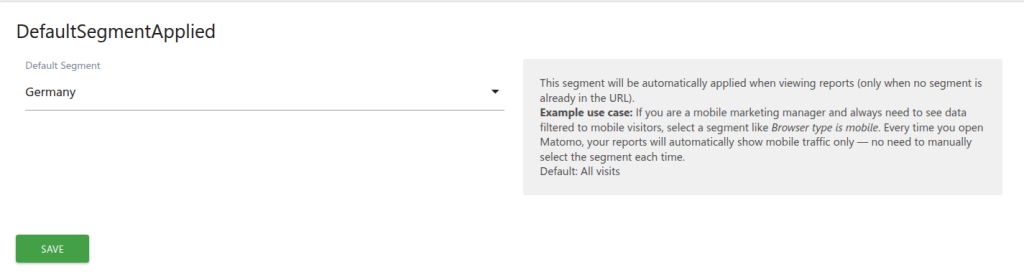
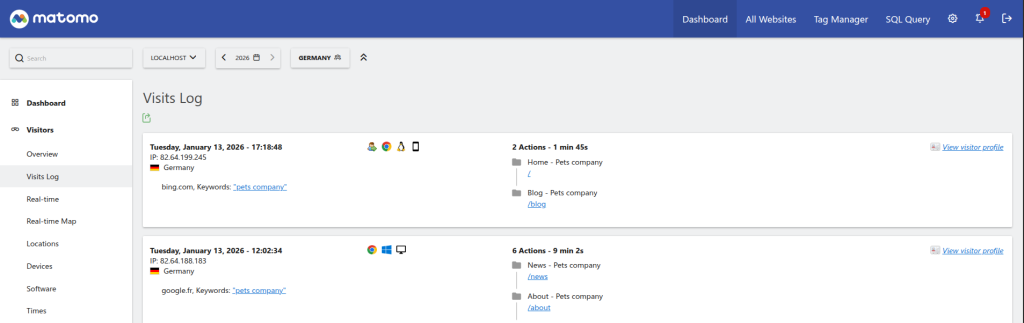
When configured, the selected segment is automatically applied to all report pages, saving users from having to manually select their preferred segment each time they access Matomo. The segment is applied transparently via the URL and respects manually selected segments — it only activates when no segment is already present in the URL.
This is a per-user setting: each authenticated user can choose their own default segment independently.
-
personal settings default segment
-
personal settings inline help
Where do I configure my default segment?
Go to Administration > Personal > Settings. You will find a Default Segment dropdown in the DefaultSegmentApplied section.
Does the default segment affect other users?
No. This is a per-user setting. Each authenticated user can choose their own default segment independently.
What happens if I manually select a different segment?
The plugin only applies the default segment when no segment is already present in the URL. If you manually select a segment from the segment bar, it takes priority and the default is not applied.
Can I remove my default segment?
Yes. Go to Administration > Personal > Settings and select "All Visits" from the Default Segment dropdown, then click Save.
What happens if the segment I selected is deleted?
The plugin validates the segment on every page load. If your saved default segment no longer exists, it is silently ignored and no segment is applied.
Does this plugin work for anonymous users?
No. The default segment feature is only available for authenticated (logged-in) users.
Which segments appear in the dropdown?
All saved segments available to your user account (created by you or shared with you) are listed. You need at least one saved segment in the Segment Editor for the dropdown to show options.