With Custom Widgets, super users create as many widgets as they need from a dedicated page, Administration > System > Custom Widgets, then every user can add them to their dashboards.
- Unlimited widgets, each with its own title and content (text and HTML)
- HTML code editor with syntax highlighting (HTML, inline CSS and JavaScript) and a live preview of the widget
- Display a widget on all websites or only on selected websites
- Allowed external domains: iframes, images, videos and audio from these domains are allowed by the Matomo Content Security Policy (YouTube is allowed by default)
- HTTP API to manage the widgets (
CustomWidgets.getWidgets, CustomWidgets.addWidget, CustomWidgets.updateWidget...)
- Widgets can be embedded outside Matomo with the Widgetize feature
- Dark mode friendly
Thank you for installing !
-
Add to dashboard
-
Create new widget
-
Example youtube iframe
-
Settings
Add custom content, such as text and custom HTML code, to your dashboards with dedicated widgets.
Share internal news, useful links, videos, iframes or any content with your team.
Create a widget
- Go to Administration > System > Custom Widgets.
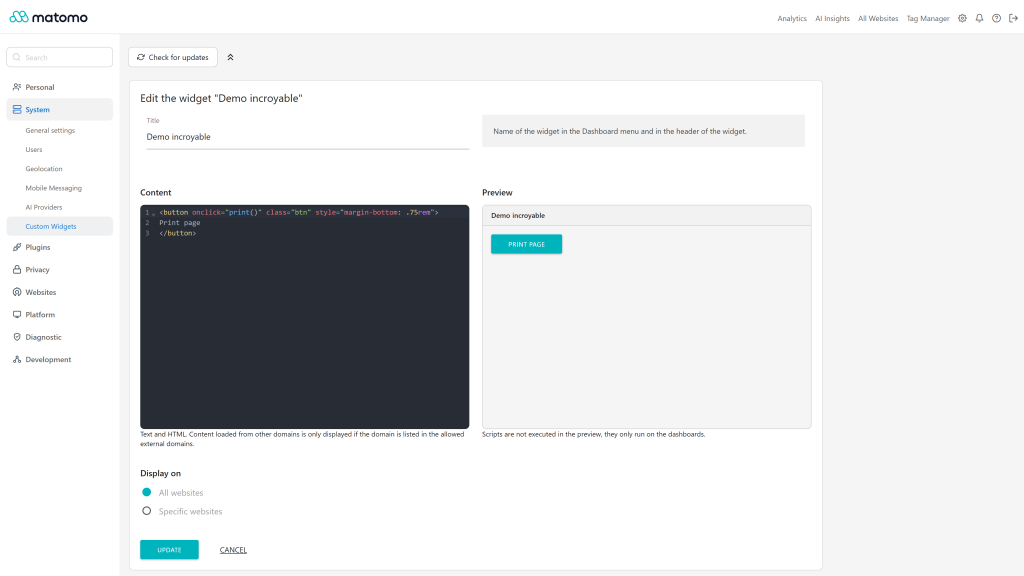
- Click on Create a widget, then enter a title and the content of the widget (text and HTML). The preview next to the code editor shows how the widget will look.
- Choose where the widget is displayed: All websites or Specific websites.
- Click on Create.
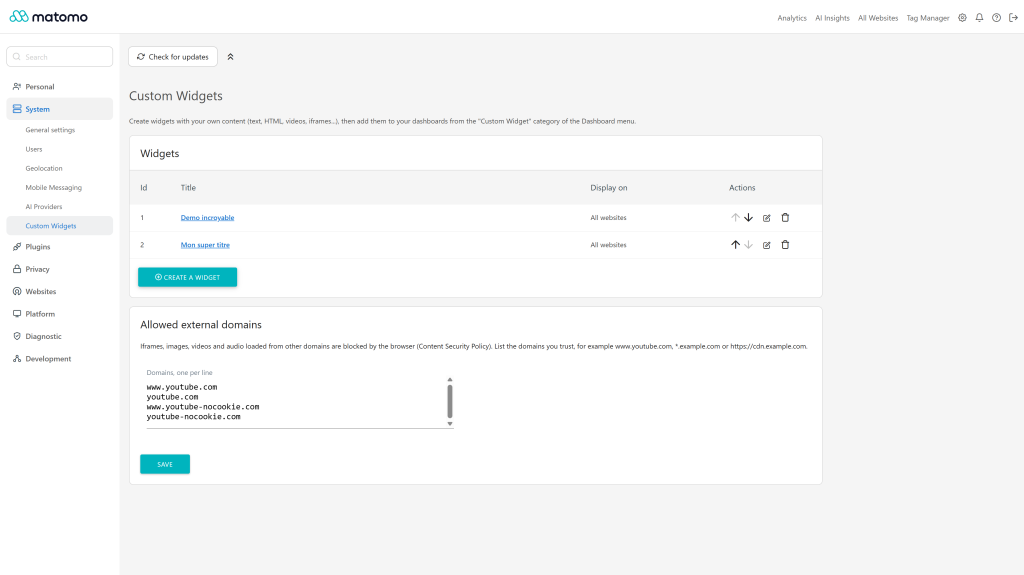
The list of widgets lets you edit, reorder or delete your widgets.
Add a widget to a dashboard
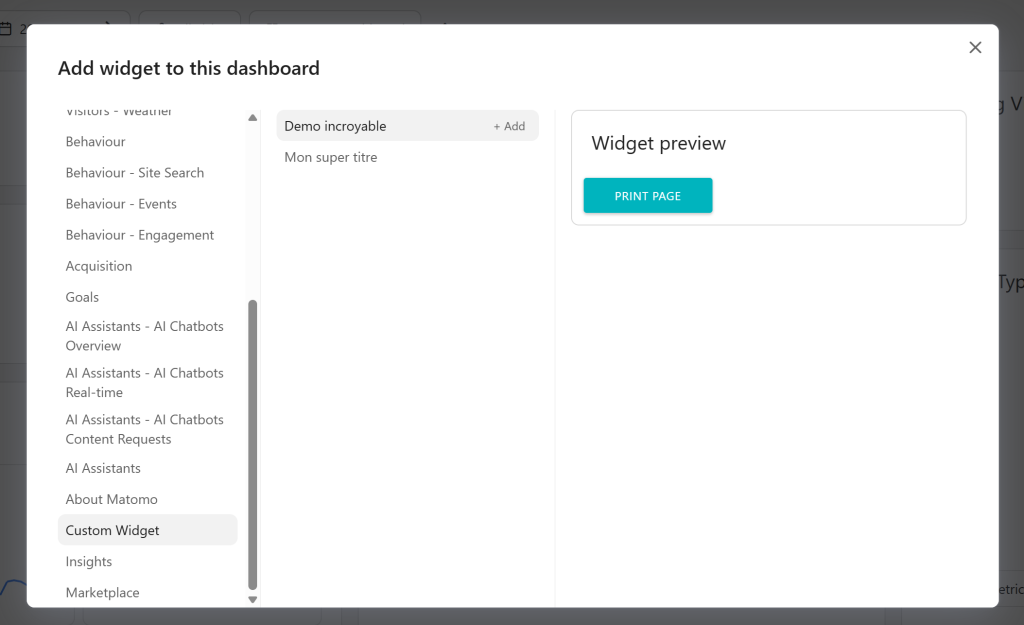
Open a dashboard, click on Dashboard, then Widgets and select a widget in the Custom Widget category.
A widget restricted to specific websites is only listed on the dashboards of these websites.
Display external content
Matomo protects its pages with a Content Security Policy: iframes, images, videos and audio loaded from other domains are blocked by the browser.
Add the domains you trust in the Allowed external domains section of the Custom Widgets page, one per line, for example:
www.example.com*.example.com (all sub domains)https://cdn.example.com (HTTPS only)
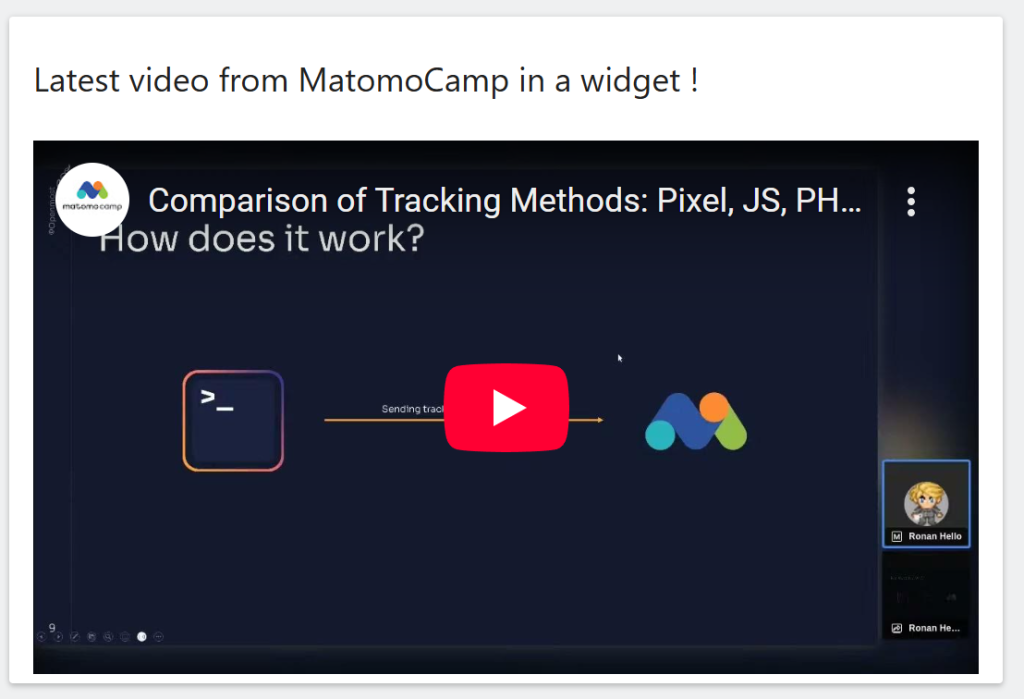
YouTube domains are allowed by default, so you can embed a video right away:
<iframe width="100%" height="315" src="https://www.youtube-nocookie.com/embed/VIDEO_ID" allowfullscreen></iframe>
Scripts
Scripts included in the content are executed when the widget is displayed on a dashboard. They are not executed in the preview.
HTTP API
Super users can also manage the widgets with the HTTP API: CustomWidgets.getWidgets, CustomWidgets.getWidget, CustomWidgets.addWidget, CustomWidgets.updateWidget, CustomWidgets.deleteWidget, CustomWidgets.reorderWidgets, CustomWidgets.getAllowedDomains and CustomWidgets.setAllowedDomains.
Upgrade from version 1.x
The widget you created with the previous version becomes the first widget of the list, the dashboards displaying it keep working. Its settings moved from the general settings to the Custom Widgets page.
How to install this plugin
This plugin is available in the official marketplace of Matomo. You have to install the same way as other plugins
- Go to the administration panel
- Look for the Marketplace section and select "Plugins" in the dropdown
- Then search for "Custom Widgets", install and activate the plugin.
- Go to Administration > System > Custom Widgets to create your widgets.
Who can create and edit the widgets ?
Only super users can manage the widgets, from Administration > System > Custom Widgets. Every user can add the widgets to their dashboards.
Who can see a widget ?
All users having at least a view access to a website can display the widgets available for this website.
Choose Specific websites when editing a widget to display it only on some websites.
Where are the settings of version 1.x ?
They moved from the general settings to the dedicated Custom Widgets page. Your existing widget is kept and still displayed on your dashboards.
Why is my iframe, image or video not displayed ?
Content loaded from another domain is blocked by the Matomo Content Security Policy. Add the domain in the Allowed external domains section of the Custom Widgets page, then reload the dashboard.
Why does my script not run in the preview ?
For safety, scripts are not executed in the preview. They run when the widget is displayed on a dashboard.
Is the content of the widgets filtered ?
No, the HTML is displayed as it is written, so only add content you trust.
How can I contribute to this plugin ?
You can help me develop this plugin by contacting me. You can also create the project and request an integration. Any way you consider legitimate to contribute is welcome.
How long this plugin will be maintained ?
As long as possible, I have many project to maintain, I'm the first user of this plugin and I use Matomo on many project, if I see errors, I'll patch this plugin faster as possible !