Which emails are sent through Amazon SES?
All of them. The plugin replaces the Matomo mail transport, so scheduled reports, alerts, password resets, invitations and emails sent by other plugins all go through SES while the plugin is activated.
What happens if an SMTP server is also configured?
Amazon SES always wins while the plugin is active: Matomo uses a single mail transport, and the plugin replaces the core SMTP / mail() transport. The host, port, username, password and encryption set under General settings → Email server settings are ignored, and no email is sent twice. The Amazon SES admin page shows a warning when an SMTP server is configured.
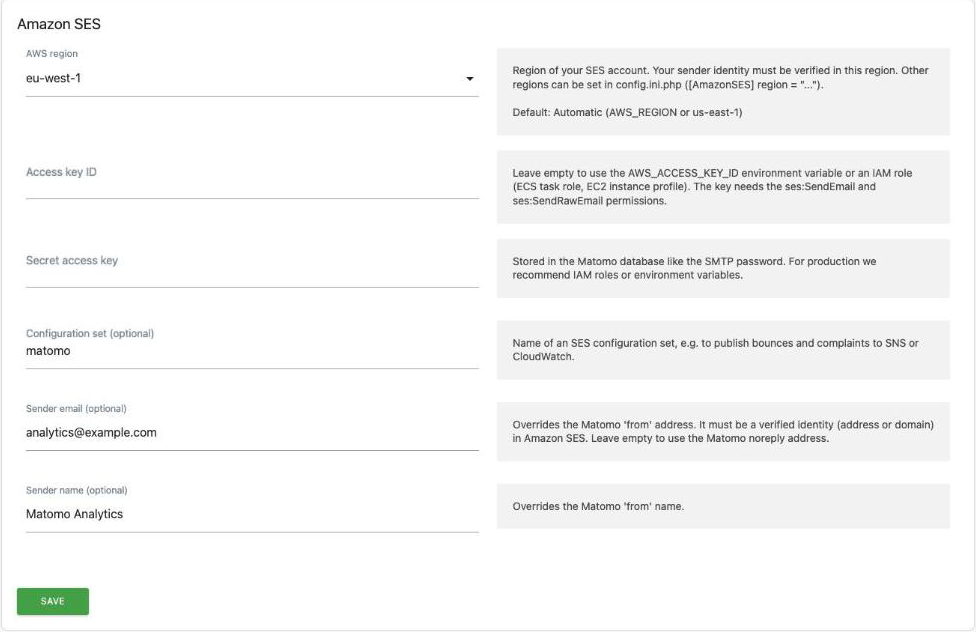
The sender address and name from that same form are still used: they are Matomo's noreply address and name, and the plugin uses them unless you set Sender email / Sender name in the plugin settings.
If Amazon SES fails, the plugin does not fall back to SMTP. Deactivate the plugin to go back to SMTP; no other change is needed.
I get "Email address is not verified".
Amazon SES only sends from verified identities. Verify the sender address, or better its whole domain, in the SES console of the same region configured in the plugin. Then either use that address as Matomo's noreply address or set it as Sender email in the plugin settings.
In sandbox mode the recipients must be verified too, and if your IAM policy restricts Resource to specific identities, the recipients must be listed there as well. Request production access in the SES console to email any user.
Where do the credentials come from?
The plugin tries, in this order:
- The access key set in the plugin settings (or in
config.ini.php).
- The environment variables
AWS_ACCESS_KEY_ID and AWS_SECRET_ACCESS_KEY (plus AWS_SESSION_TOKEN).
- The ECS / Fargate task role.
- The EC2 instance profile, via IMDSv2.
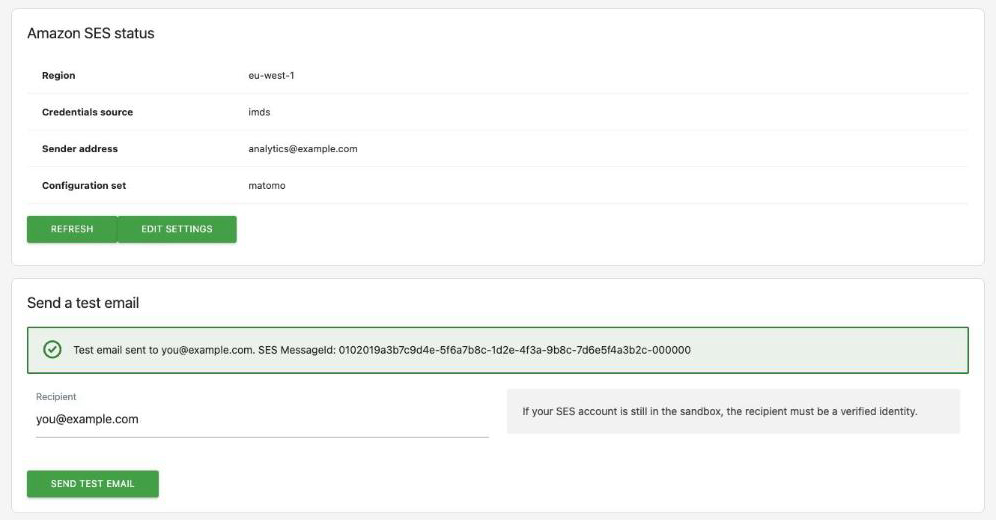
The status page shows which source is in use.
What happens if Amazon SES is down or rejects a message?
The send fails and Matomo logs the AWS error message (for example MessageRejected or Throttling). The plugin never falls back to SMTP silently, so a configuration problem doesn't go unnoticed.
How do I handle bounces and complaints?
Create an SES configuration set with an event destination (SNS, CloudWatch, EventBridge…) and enter its name in the plugin settings. By default SES also adds bouncing addresses to your account-level suppression list.
Can I use a VPC endpoint or a local SES mock?
Yes. Set endpoint in the [AmazonSES] section of config.ini.php, or set the AWS_ENDPOINT_URL_SESV2 environment variable. The endpoint must use https://. A local mock that only speaks plain http:// also needs allowInsecureEndpoint = 1 (or AMAZONSES_ALLOW_INSECURE_ENDPOINT=1): never enable it for a remote host, as AWS credentials and email contents would travel unencrypted.
Does it work behind an HTTP proxy?
Yes. Calls to the SES API use the proxy configured in Matomo's [proxy] section. Calls to the ECS/EC2 metadata endpoints never go through the proxy.
Is there a size limit?
Amazon SES v2 accepts messages up to 40 MB, including attachments after encoding.